If you're asking, "how do I rank higher in Google Maps near me searches?" the simple answer is this: You have to prove to Google that your business is the right choice, it's close to the customer, and it's trusted in your local area.
Many contractors think once they’ve claimed their Google Business Profile, the job is done. They wonder why competitors in Santa Cruz still show up above them in Google Maps. But Google doesn't reward businesses for just having a profile—it rewards them for being active and trustworthy.
Why Your Business Isn't Showing Up On Google Maps
You claimed your Google Business Profile (GBP). So why does a competitor keep getting calls for jobs right down the street from your shop in Watsonville?
It's because a claimed profile is just the starting line. Ranking high in Google Maps is an ongoing effort, not a one-time setup.
The biggest mistake contractors in Monterey County make is treating their GBP like a phone book ad. They add their name and phone number and then forget about it. This tells Google you might not be the most active or reliable choice for a homeowner who needs help right now.
The Three Keys to Google Maps Rankings
Google's local search boils down to three main ideas. To win in local search, you have to do well in all of them.
- Relevance: How well does your profile match what a homeowner is looking for? If they search "kitchen remodeler Salinas," your profile needs to show you do exactly that.
- Proximity: This isn't just your physical address. It’s about showing Google you actively serve a customer's location, whether they're in Hollister or Pacific Grove.
- Trust (Prominence): This is your local reputation. Google measures this with things like your number of reviews, how active you are on your profile, and how often your business is mentioned online.
How people search has changed. "Near me" searches are up more than 500% in recent years. Google gives the top spots to businesses that are fully built out and active.
The data shows that profiles that are fully built out get 70% more location visits and 35% more clicks.
This chart shows how these three keys work together.
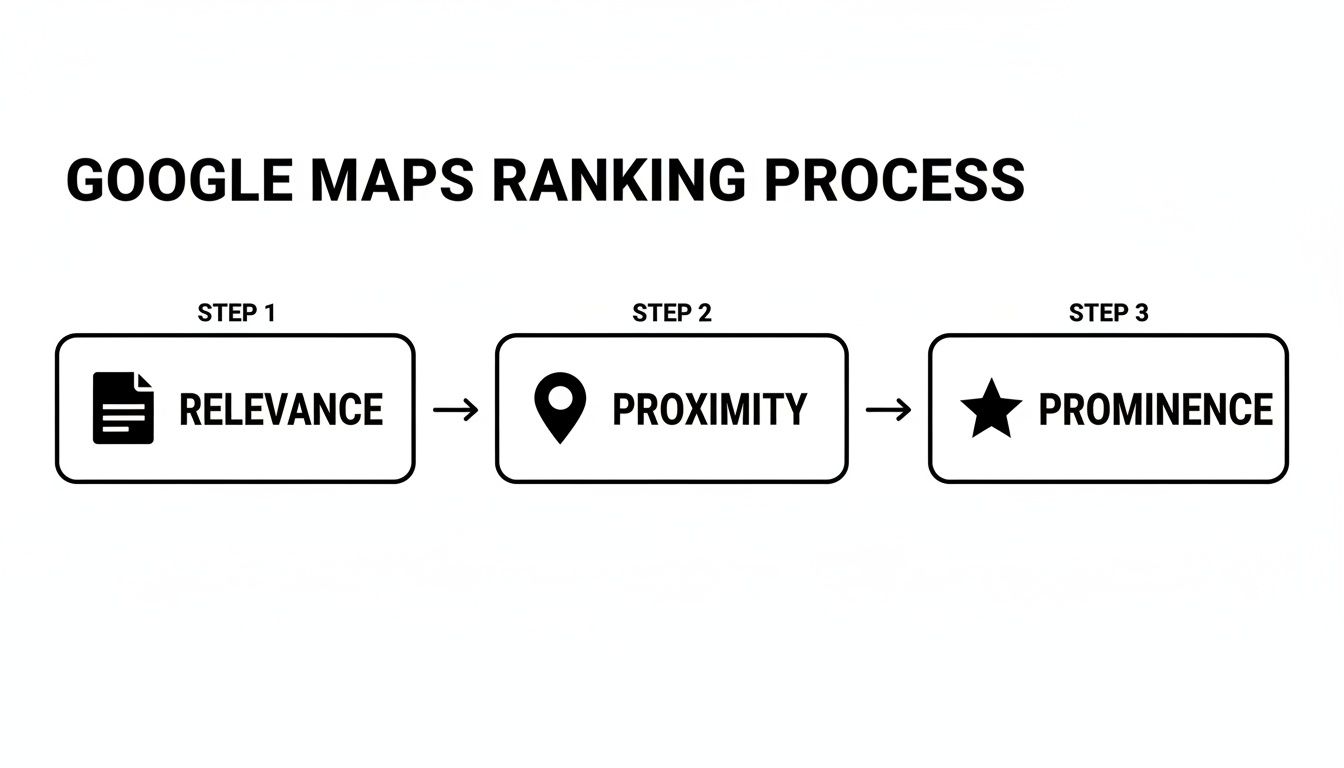
Getting to the top of the map isn't a secret trick. It's about building a strong signal across relevance, proximity, and trust. If you neglect one area, it can hurt all your other work. We see it all the time, and you can read more about the common mistakes local contractors make when trying to rank in the map pack.
Here's a quick summary of what it takes to get these keys working for you.
Quick Fixes for Better Google Maps Rankings
| Ranking Key | Why It Matters for Contractors | Quick Action Item |
|---|---|---|
| Relevance | Makes sure you show up for the exact services customers search for, like "roof repair" or "plumbing." | Fill out every part of your GBP, especially your main business category and all the services you offer. |
| Proximity | Helps you show up for customers in your service area and the nearby towns you work in. | Add specific city and neighborhood names to your service areas list in your GBP. |
| Trust | Builds confidence with both Google and potential customers, showing you're a real and active business. | Ask for reviews after every job and reply to every single one—good or bad. |
Focusing on these three areas is the foundation of a strong local online presence.
The main takeaway is simple: Google rewards activity. An updated, active profile proves you are a reliable, relevant local business ready to serve customers in the Monterey Bay area.
This guide will show you how to give Google all the proof it needs. We'll help you turn your GBP from a forgotten listing into your best tool for getting new leads.
Building a Google Business Profile Google Trusts
If your phone isn’t ringing, your Google Business Profile might be the problem. The biggest misstep is treating Google Maps like a one-time setup. Contractors often stop after adding their name and phone number—no updates, no photos, no reviews, no service-area signals.
This ‘set it and forget it’ approach is why so many businesses fail to rank. An empty, inactive profile tells Google you might not be the best choice for a homeowner with a problem. When someone in Salinas needs a plumber, Google wants to show them a business that’s active, helpful, and trustworthy.
Go Beyond the Basics with Your Business Info
Building trust with Google starts by being detailed. You have to complete every single section of your profile. It sounds basic, but this is where most contractors get stuck.
Think of your profile as a direct message to Google and your future customers. Every piece of info you add helps Google understand what you do and who you serve. This is how you answer the question, "how do I rank higher in Google Maps near me searches?"
Here’s what you must get right:
- Business Name, Address, and Phone (NAP): This must be 100% the same as your website and any other online listing. Any small difference can confuse Google and hurt your ranking.
- Categories: Be specific. Choose "Plumber" as your main category, not just "Contractor." Then add other categories for everything else you do, like "Water Heater Installation" or "Drain Cleaning."
- Service Areas: This is key for contractors. List every single city you serve, from Santa Cruz to Hollister. This tells Google exactly where to show your business in "near me" searches.
- Hours of Operation: Keep your hours correct. If you offer 24/7 emergency service, your hours need to show that.
The biggest mistake is treating Google Maps like a one-time setup. Contractors often stop after adding their name and phone number—no updates, no photos, no reviews, no service-area signals. This is what holds businesses back.
Keep Your Profile Fresh with New Content
Once your basic info is solid, you need to prove you're an active business. Google's system rewards businesses that add fresh, useful content. It's how you show you're an expert and stay top of mind.
Stop thinking of your GBP as a static ad. Treat it like a mini-website that needs regular updates to work well.
Upload Geo-tagged Photos Weekly
Photos are a powerful way to build trust. They show proof of your work and that you're really working in the local towns you claim to serve.
- Action Item: After each job, take a few good photos with your phone (make sure location services are on!). Upload them to your GBP right from the job site in places like Watsonville or Marina. This sends a strong location signal to Google.
- Pro Tip: Add captions that describe the project and name the city. Something simple like, "Finished a beautiful bathroom remodel in Carmel-by-the-Sea" works great.
Use Google Posts to Show Off Your Work
Google Posts are like free mini-ads on your profile. They are perfect for showing off recent projects, announcing specials, or sharing a quick tip. Posting once a week tells Google your business is active.
Knowing what your clients are thinking about, like the crucial questions to ask a general contractor, gives you great ideas for these posts and helps build trust.
Build a Five-Star Reputation with Reviews
Reviews are essential for local SEO. They directly measure your trust and reputation in the community. A steady flow of positive reviews is one of the strongest signals you can send to Google.
You need to make asking for reviews a normal part of your process. More importantly, respond to every single review, good or bad. This shows customers and Google that you care about feedback, which is another positive signal.
For a deeper dive, check out our guide on how to optimize your Google Business Profile for AI search.
Proving You Belong in Monterey County Searches
To win at local search, you need to think like a customer. Google's job is to find the best, closest, and most trusted contractor for a specific need. If you're a plumber in Salinas, you need to prove you’re the most relevant choice for a leaky pipe and that you have a great reputation.
Google Maps rankings depend on relevance, proximity, and trust. That means posting updates, adding real job photos, responding to reviews, and making sure your services and locations match how homeowners actually search. Nailing these signals is how you answer the question, "how do I rank higher in Google maps near me searches?"
Be Relevant with Specific Service Details
Relevance is all about matching what a customer types in the search bar. A generic profile that just says "General Contractor" won’t help when someone is searching for "deck repair in Santa Cruz." You have to be specific.
Your Google Business Profile is the best place to start. Don't just list a few services; list every single thing you do.
Here’s how to improve your relevance:
- Choose Specific Categories: Select "Plumber" or "Roofer" as your main category. Then add every other category that fits, like "Water Heater Installation" or "Gutter Cleaning Service."
- List Every Single Service: In the "Services" section of your profile, add every single task you do. Instead of just "Remodeling," you should list "Kitchen Remodeling," "Bathroom Remodeling," and "Home Additions."
- Use Keywords in Your Updates: When you post updates or photos, use the same words your customers use. A photo caption like, "Just finished this beautiful tile installation for a client in Pacific Grove," reinforces that you offer that service in that town.
When you are this specific, you leave no doubt in Google's mind about what you do. This is the first step toward ranking for those valuable local searches.
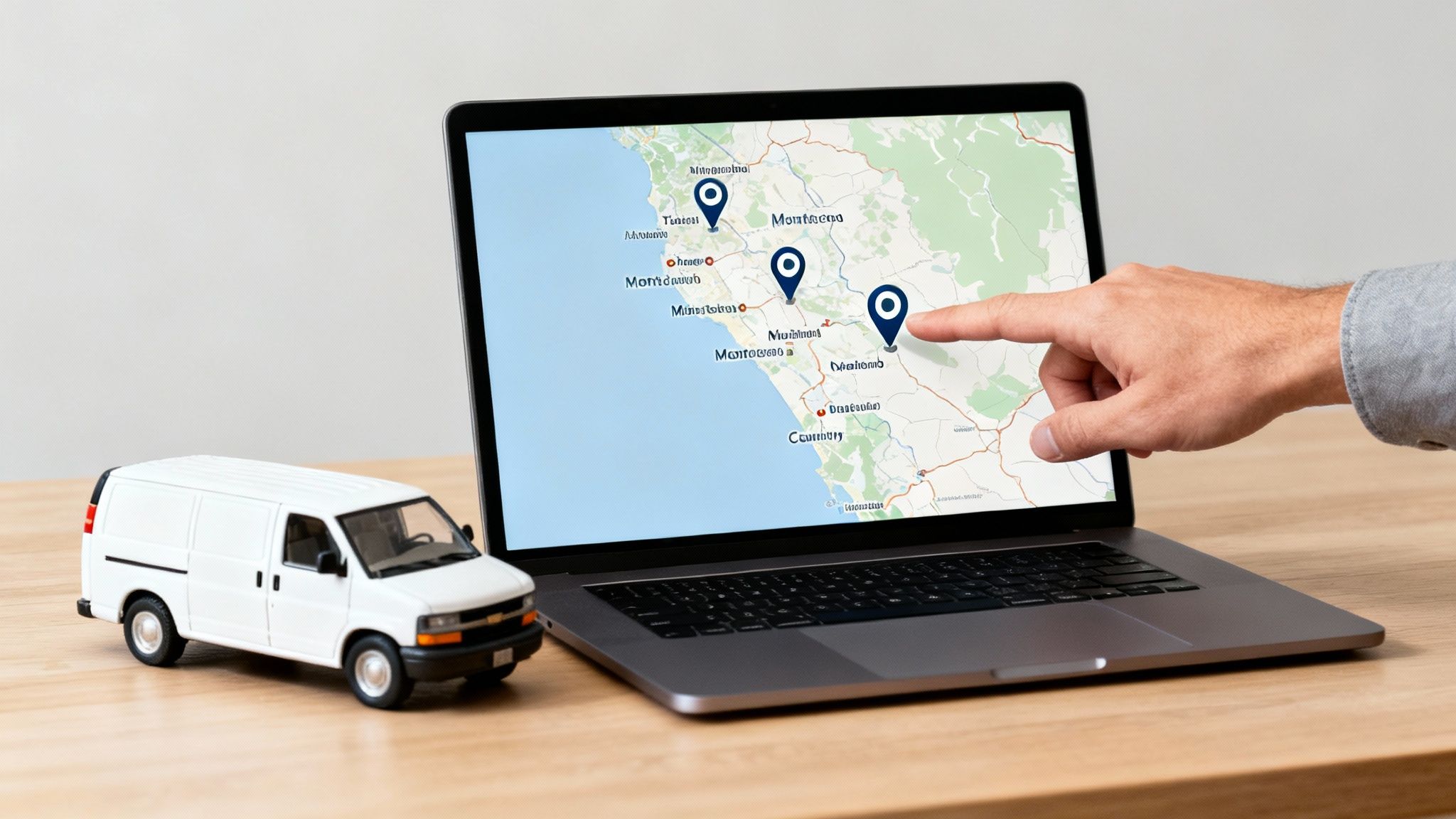
Show Your Proximity by Defining Your Service Area
For a contractor, proximity is not just about your office location. It’s about telling Google every single town you work in. This is very important in a region like the Monterey Bay, where you might be based in one city but serve clients across multiple counties.
Simply listing your address is not enough. You have to clearly define your service areas.
Jump into your Google Business Profile settings and list every city and town you cover. Be complete:
- Monterey
- Salinas
- Santa Cruz
- Gilroy
- Hollister
- Carmel-by-the-Sea
- Watsonville
- Seaside
- Marina
This simple list tells Google that when someone in any of these places searches for your services, your business is a real, nearby option. It expands your online reach far beyond your physical address.
Build Trust Through Local Signals
Trust (or Prominence) is just Google’s word for your business's reputation. It’s a measure of how well-known you are in your local market. Google figures this out by looking at customer reviews and local citations.
Think about it: a business with 50 great reviews will almost always outrank a similar business with only five.
Building trust is an ongoing effort that includes:
- Getting a steady stream of positive reviews. This is the most powerful trust signal you have.
- Responding to all reviews. This shows you are paying attention and you care.
- Building local citations. These are mentions of your business's name, address, and phone number (NAP) on other trusted websites.
Citations from local websites like the Monterey Peninsula Chamber of Commerce are very valuable. They act as a third-party check that your business is a real local company.
Your Guide to Earning Reviews and Building Trust
Filling out your Google Business Profile is just the first step. If you want to win in competitive areas like Carmel-by-the-Sea or Seaside, you have to build trust with Google and your customers. This idea of "Prominence"—your local reputation—is a huge part of ranking high.
If you’re a contractor in the Monterey Bay Area and not showing up on the map, it's likely because there isn't enough proof that you're the best choice. A business with dozens of recent, positive reviews feels like a safer bet than one with two old reviews.
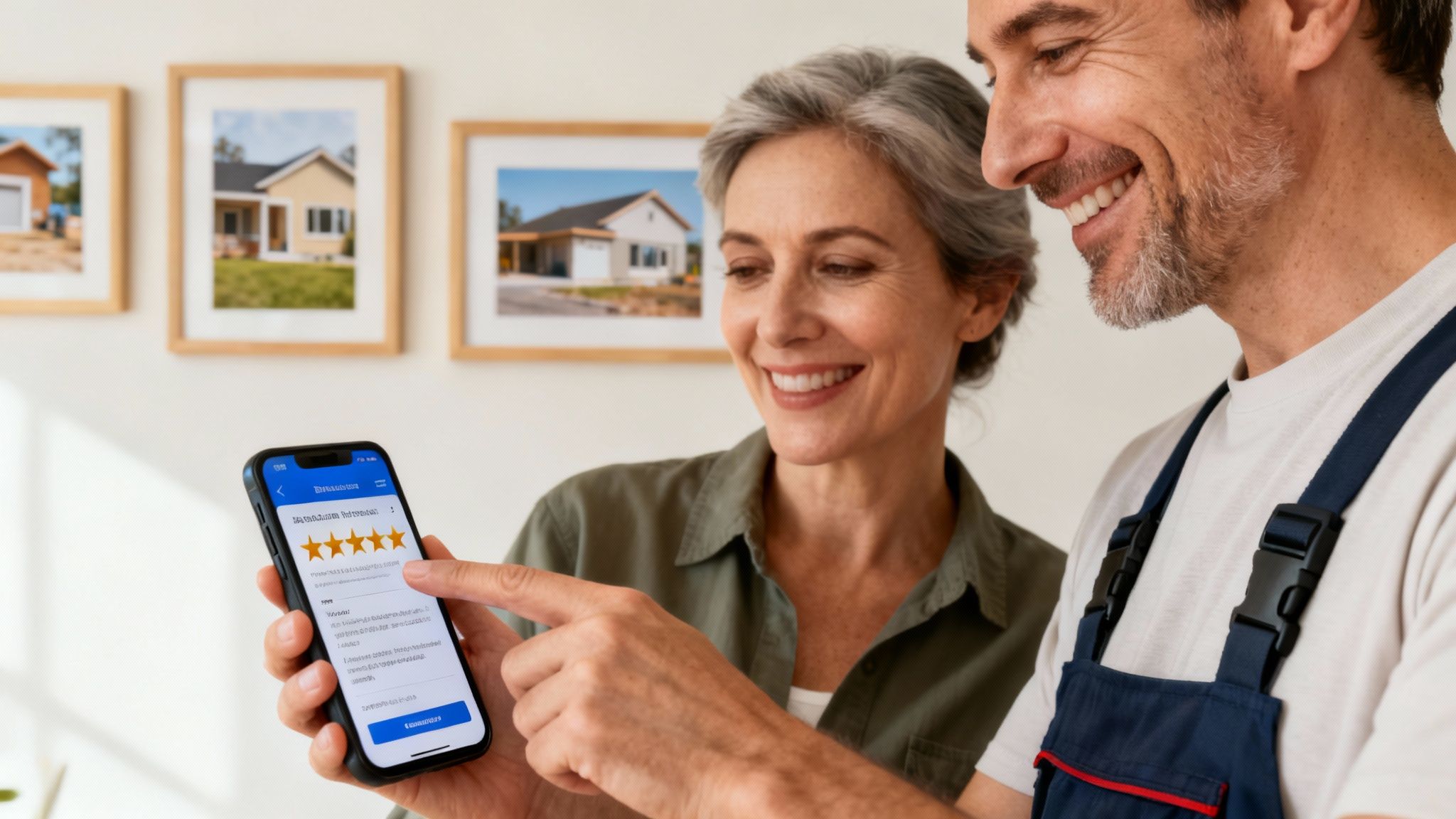
This section gives you a simple plan for managing your local reputation and turning customer feedback into a strong ranking signal.
Make Asking for Reviews a Standard Practice
The best way to get more reviews is simple: you have to ask. You can't just hope happy customers will leave one. You need to build a simple process into your work.
The best time to ask is right after a job is done and the customer is happy. The trick is to make it very easy for them.
- Create a Direct Review Link: Google gives you a short link that takes customers right to the review page for your profile.
- Send it by Text or Email: After the job, send a quick message with the link. Something simple like, "Thanks for your business! We'd appreciate it if you could share your experience with a quick review."
- Use QR Codes: Print small cards with a QR code that links to your review page. Leave one with the final invoice.
A steady stream of new reviews tells Google that your business is active and making customers happy in Santa Cruz County and beyond.
Engage With Every Single Review
Getting reviews is only half the job. Responding to them—all of them—is just as important. When you reply, you're showing every future customer that you are engaged and care about feedback.
Responding to reviews shows both Google and potential customers that you are an active, attentive business owner. This simple act can boost trust and your local authority.
A good response makes a positive experience even better and can help manage a negative one.
Use Fresh Photos as Visual Reviews
Every project you finish is a chance to add fresh, visual proof of your work to your profile. High-quality photos of your finished jobs act like powerful visual testimonials.
Get in the habit of taking photos after every project, but make sure your phone's location services are on. When you upload a picture from a job in Gilroy, you're sending a direct location signal to Google that you serve that area.
Use Google's Q&A Feature
The Questions & Answers section on your Google Business Profile is an often-overlooked tool. Customers can ask questions directly on your profile, and you can provide the answers.
But don't wait for questions. Add your own common questions and answer them yourself.
- "Do you offer emergency plumbing services in Salinas?"
- "What brands of HVAC systems do you install?"
- "Are you licensed and insured for work in Monterey County?"
Answering these questions provides instant value and fills your profile with relevant, local keywords.
If you’re a contractor in Monterey, Salinas, or anywhere on the Central Coast and your business isn’t showing up in Maps, we can help you figure out what’s missing—and fix it. Core6 Marketing helps clients find these gaps and builds the trust you need to rank higher.
Advanced Ways to Protect Your Map Rankings
Having a complete and active Google Business Profile is a huge step, but it's not the finish line.
To truly lead the map pack in competitive markets like Santa Cruz and Monterey, you have to think beyond just the basics. This is where you move from just keeping up a profile to building a connected online presence that Google can't ignore.
The game is changing. It's no longer just about keywords and a few reviews. It's about building strong, unified signals across your website, your GBP, and other local sites.
Syncing Your Presence for Modern Search
The way people search is changing, especially with AI-powered search. Your strategy has to change with it. A static profile won't work when AI is looking across the web for deep, consistent proof of your expertise.
This is why we developed our AI Search Sync technology. It ensures the signals you send from your GBP are matched and strengthened on your website and other online profiles.
At Core6 Marketing, we manage ongoing local SEO, not just a one-time setup. We optimize your service areas, reviews, and local content—and use our AI Search Sync to strengthen your visibility across both Google Maps and modern AI search results.
The Key Role of Your Website's Local SEO
Your website is the final proof of everything you claim on your Google Business Profile. If your GBP says you're the top plumber in Salinas, but your website barely mentions the city, you're sending mixed signals. These will hurt your rankings.
Your website needs to be the headquarters for your local authority. This means creating content and a site structure that screams "local expert."
Key things that work include:
- Dedicated Location Pages: If you want to rank in Hollister, you need a webpage specifically about your services in Hollister. Talk about common jobs, mention local landmarks, and show projects from that area.
- Localized Service Pages: Don't just have a page for "Roof Repair." Create one for "Roof Repair in Monterey County" and fill it with content relevant to the area, like how you handle coastal weather damage.
- Embedded Maps and Local Schema: Adding a Google Map of your service area and using Local Business schema (a type of code that talks to search engines) strengthens your geographic relevance.
A strong local SEO strategy has two parts. Your Google Business Profile makes the introduction, but your website must back it up with rich, location-specific content that proves your authority.
GBP Setup vs. Ongoing Local SEO Management
Many contractors think a one-time GBP setup is enough. The truth is that consistent management is what drives real results. A "set it and forget it" approach will leave you behind.
Here’s a look at the difference.
| Feature | One-Time Setup (The Mistake) | Ongoing Management (The Solution) |
|---|---|---|
| Photos | Uploads 5-10 photos once at setup. | Adds new, geo-tagged project photos weekly. |
| Reviews | Hopes for reviews to come in naturally. | Systematically asks for reviews and responds to all of them within 24 hours. |
| Google Posts | Never uses the feature. | Creates weekly posts showing projects, offers, and services. |
| Services | Lists a few general service categories. | Builds out a detailed list of every specific service offered. |
| Strategy | Passive and only acts when there's a problem. | Proactive, uses data, and is always consistent. |
This proactive management ensures your business can answer "how do I rank higher in Google Maps near me searches?" today and is ready for the future. For more on this, read our article on what topical authority is and why AI trusts it more than keywords.
Common Questions About Ranking In Google Maps
Here are a few of the most common questions we hear from contractors around the Monterey Bay Area, with straight answers.
How Long Does It Take To Rank Higher In Google Maps?
This is the big question. While you can often see good signs within a few weeks of fully optimizing your Google Business Profile, getting and keeping a top spot is a long-term effort.
Real, lasting ranking improvements in competitive areas like Santa Cruz or Monterey usually take three to six months of consistent local SEO work. Google rewards steady effort—regular photo uploads, a constant stream of new reviews, and weekly posts.
Do I Need A Physical Address In A City To Rank There?
Having a physical address in a city helps, but it's not required for service-area businesses. As a contractor, you can and should hide your address and define your specific service areas instead.
But if you're based in Salinas and want to rank in Gilroy, you have to work harder to prove you belong. Get reviews from customers in Gilroy. Build a service page on your website about "kitchen remodels in Gilroy." Upload geo-tagged photos from jobs in that area.
What Is More Important My Website Or My Google Business Profile?
This is a trick question. They are a team. They are both equally important for your success. Your Google Business Profile gets you ranked in the map results, but it doesn't work alone.
Your GBP makes a claim ("I'm the best plumber in Monterey!"), and your website provides the proof. Google constantly checks your site to confirm your services and location. A good website with strong local content backs up your GBP and boosts its ranking power.
How Can I Get More Customer Reviews?
The best strategy is also the simplest one: just ask! Build it right into your process by asking for the review right after the job is done.
Here are a few tactics that work:
- Use a Direct Link: Make it super easy. Text or email them a direct link to your GBP review page.
- Make it Personal: A quick text like, "Hey, we loved working on your home in Pacific Grove! If you have a minute, would you mind sharing your experience online?" feels genuine.
- Leave-Behinds: Print small cards with a QR code that goes to your review page. Leave one with the final invoice.
The easier you make it, the more likely happy customers are to leave that five-star review. Many successful contractors also use tools like efficient construction takeoff software to streamline their projects, freeing up time to focus on customer follow-up and marketing.
At Core6 Marketing, we don't just optimize profiles; we build the kind of local trust that makes your phone ring. If you're tired of watching competitors get the calls that should be yours, it's time for a change.
Ready to dominate the map in your service area?
Schedule Your Free Local SEO Consultation Today or call us at 831-789-9320 to get started.
By Phil Fisk, CEO, Core6 Marketing
Phil Fisk is the founder and CEO of Core6 Marketing, a digital marketing agency dedicated to helping home service contractors in the Monterey Bay Area grow their businesses. With over a decade of experience, Phil specializes in local SEO and lead generation strategies that deliver measurable results.
Core6 Marketing
1628 N. Main St #263, Salinas, CA 93906
Phone: 831-789-9320
Email: [email protected]
Website: https://core6.marketing/