Think of your meta description as free ad space on Google. It’s that short summary under your page title in the search results. Its job is to convince someone in Salinas to click your link instead of someone else's.
A great description won't magically push you to the top of Google. But it will improve your Click-Through Rate (CTR), which is how often people click your link. A better CTR tells Google your page is a good match for what people are looking for.
What Are Meta Descriptions and Why Do They Matter?
A meta description is a small bit of text, usually around 155 characters, that sums up what a webpage is about. You won't see it on the page itself. You only see it on the search engine results page (SERP).
For any business here in Monterey County—from a Gilroy garlic farm to a Santa Cruz surf shop—this little text is a big deal. It's the first step in turning searchers into customers. To see how this fits into the bigger picture, it helps to understand the difference between SEO and broader internet marketing.
Why a Good Description Helps You
Google has said that meta descriptions don't directly affect your rank. But they do affect how people behave. A well-written description that speaks to what someone needs is just more clickable.
A high CTR tells Google that your page is a helpful answer to a search. Over time, that can help improve your rankings.
An engaging meta description can boost your CTR a lot compared to one that Google makes up for you. A better description means more of the right people visit your website. That means more potential leads for your business.
Good vs. Bad Meta Descriptions
Let's look at a quick example for a pretend bed & breakfast in Pacific Grove. You can see how a thoughtful meta description makes a big difference.
| Element | Good Example | Bad Example |
|---|---|---|
| Value | ⭐ "Experience amazing ocean views at our award-winning B&B. Steps from the beach. Book your romantic getaway today!" | "This is the homepage for the Ocean View Inn, a bed and breakfast in Pacific Grove. We have rooms." |
| Action | ✅ Book your romantic getaway today! | ❌ None |
| Keywords | ✅ Naturally includes "B&B" | ❌ Stuffed with keywords: "Pacific Grove B&B, bed and breakfast Pacific Grove, PG Inn." |
| Tone | ✅ Inviting and exciting. | ❌ Robotic and boring. |
| Length | ✅ Around 150 characters – fits perfectly in search results. | ❌ Too short or too long. |
The good example sells an experience, not just a room. It’s active, uses exciting words, and tells the user what to do next. The bad one is just boring and will get scrolled right past.
The 4 Parts of a Great Meta Description
Your meta description is like a digital handshake. It's the small piece of text in search results that can earn you a click or get you ignored. For a local business in Monterey County, this is your one chance to grab a searcher's attention.
To write meta descriptions that get results, you need four key things. Let’s break them down.
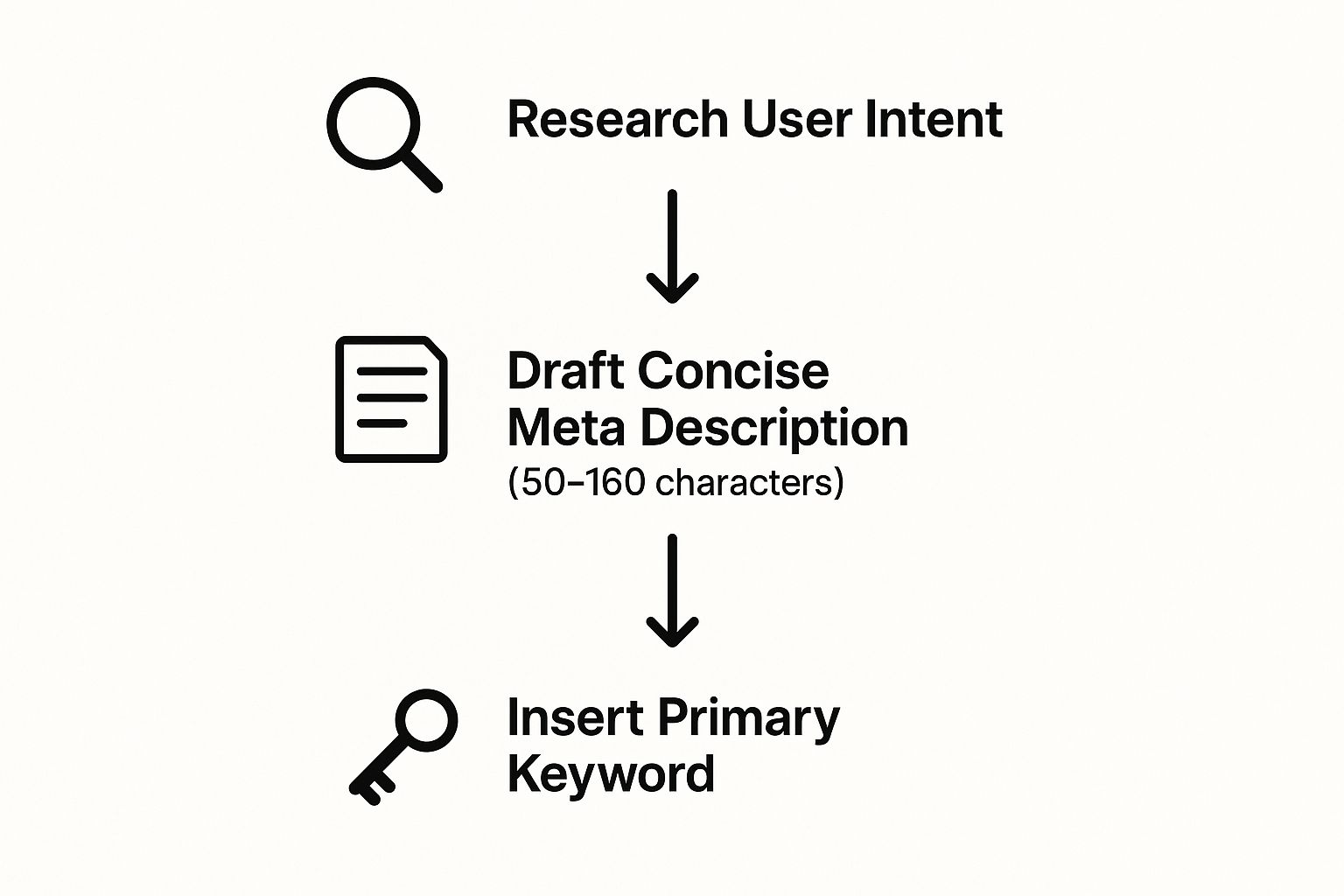
As you can see, a great meta description is a mix of being helpful to the customer and being technically correct. It’s a simple formula, but it works.
Length and Clarity
First, keep it short and to the point. The best length for a meta description is between 140 and 160 characters. If you go longer, Google will cut it off with an ellipsis (…).
This length makes sure your whole message can be seen, especially on phones where space is limited. It's also good to know that Google sometimes rewrites meta descriptions. The best way to prevent a bad rewrite is to be clear and helpful. You can read more about current best practices to stay up to date.
Keyword and Value
Next, you need to include your main keyword while showing your value. You have to answer the searcher’s question: “What’s in it for me?”
- For a service business: Focus on the problem you solve. A plumber in Gilroy might write, "Need a reliable plumber in Gilroy? We offer 24/7 emergency repairs and clear pricing. Call us now."
- For a product business: Point out a special benefit. An artist in Carmel-by-the-Sea could say, "Discover handcrafted leather bags made in Carmel-by-the-Sea. Free shipping on all orders."
The goal isn’t to stuff keywords in. It’s to use the keyword to connect to your solution. The keyword shows you're a match, and the value makes them want to click.
A Clear Call to Action
Finally, every good meta description needs a strong call to action (CTA). This is a clear instruction that tells the user what to do next. A good CTA turns a passive reader into an active visitor.
You want something that feels urgent or offers a quick benefit. Use active words:
- Book Your Free Consultation
- Shop Our Collection Today
- Download Your Free Guide
- Get a Fast, Free Quote
Without a CTA, your description just stops. Adding one guides the user to the next step, making that click feel natural.
How to Write Meta Descriptions for Different Pages

A one-size-fits-all meta description won't work. The message that works for your homepage is different from what works for a product page. You need to match the message to what the user is looking for.
Think of it this way: someone searching for a plumber in Watsonville has a different goal than someone reading your blog about DIY drain cleaning. Each page needs its own special hook.
Your Homepage
Your homepage description is your quick pitch. It needs to tell people who you are, what you do, and why you’re the best choice in Monterey County. And it has to do all that in about 155 characters.
- Example for a Salinas-based accounting firm: "Need expert accounting in Salinas, CA? We help local businesses with taxes, bookkeeping, and payroll. Schedule your free consultation today!"
This is direct and clear. It names the service, the location, and gives a simple next step.
Service and Product Pages
Here, you get more specific. For a service page, talk about the problem you solve. For a product page, show off the key features that make a customer want to buy.
Pro Tip: For product pages, including details like price or special offers can really increase clicks. You're catching buyers who are ready to make a decision.
Google suggests writing unique descriptions for every page, especially important ones like your homepage. They even say to add info like pricing or author names to add more value. You can read Google's official documentation on snippets to learn more.
Blog Posts
For a blog post, your description should make people curious. You’re promising an answer to a question or a solution to a problem.
- Example for a digital marketing for Santa Cruz retailers: "Struggling with low website traffic? Discover 5 proven ways to boost your online presence and attract more customers in Santa Cruz. Read our guide now!"
This takes a common problem and makes people want to click to find the answer. For more ways to get visitors, check out our guide on how to increase website traffic.
Did You Know? Monterey Bay is home to one of the world's deepest underwater canyons, deeper even than the Grand Canyon! This unique geography supports the incredible marine life our coast is famous for.
Common Mistakes to Avoid (And How to Fix Them)
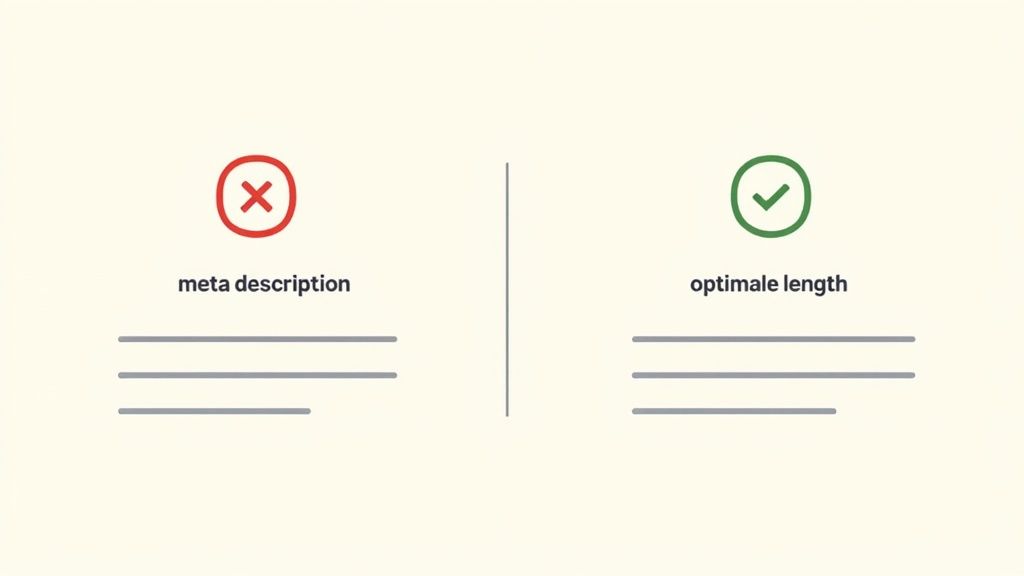
After working with many businesses across San Benito County, we've seen the same mistakes over and over. Learning how to write a great meta description often starts with knowing what not to do. These mistakes can hurt your click-through rate.
One of the biggest problems is leaving the meta description blank. If you do that, Google will pick some random text from your page. This rarely gives anyone a good reason to click.
Fixing the Most Common Errors
Another common mistake is keyword stuffing. This is an old trick where people cram in keywords until it sounds like a robot wrote it. It doesn’t work, and it pushes people away.
Writing a description that’s too long is also a problem. Your main message will get cut off in the search results. And using the same description for every single page is a huge missed chance.
Let's look at an example for a pretend auto shop in Marina.
What Not to Do:
“Marina auto repair, car repair Marina, brake service, oil change. We are an auto shop in Marina, CA. Our mechanics fix cars. Call our auto repair shop.”
This is repetitive and offers no real value. It doesn't build trust or give anyone a reason to choose them.
What to Do Instead:
“Need trusted auto repair in Marina? We offer expert brake service, fast oil changes & full diagnostics. Get a clear quote & book your appointment today!”
See the difference? This version is active, focuses on benefits, and has a clear call to action. It speaks directly to the searcher’s problem. For more tips on turning clicks into customers, check out these powerful conversion optimization tips.
How to Tell if Your Meta Descriptions Are Working
Writing a great meta description is one thing. Knowing if it actually works is another. Success is about convincing a real person to click your link. This is where you look at the data.
Use Google Search Console
Your best friend here is Google Search Console (GSC). It's a free tool that shows you how your website is doing in search. It helps you see what's working and what's not.
GSC helps you find big opportunities. Look for pages that are getting a lot of views (impressions) but have a low Click-Through Rate (CTR). These pages are showing up, but something is stopping people from clicking.
Finding Your Best Opportunities
A low CTR often means you have a weak meta description. A local business in Santa Cruz County might be on page one for a good keyword. But if its description is boring, searchers will just scroll past it.
Here’s how to find these pages in GSC:
- Go to the Performance report.
- Filter the report to find pages with high impressions but a low CTR.
- Focus on pages already ranking in positions 1-10.
These pages are ready for a refresh. You've already done the hard work to get ranked. Now you just need to earn that click. Our guide on how to track SEO rankings offers a deeper look.
You don't have to be a big company to test your changes. A simple "before and after" check on your meta descriptions can bring in a lot more traffic for your Monterey business.
Once you find a page, try a new meta description. Make the call to action stronger or add a clear benefit. Then wait a few weeks for Google to update and collect new data.
Go back into GSC and check the results. Did the CTR go up? This simple process helps you keep improving and get more traffic from the rankings you already have.
Your Simple Meta Description Checklist
Ready to start? Use this checklist to check the key pages on your website.
| Checklist Item | Yes/No | Action Needed |
|---|---|---|
| Is the description under 160 characters? | Shorten or lengthen as needed. | |
| Does it have the main keyword? | Add the keyword so it sounds natural. | |
| Is the language active and interesting? | Change boring words to active ones. | |
| Does it have a clear call to action? | Add a CTA (e.g., "Shop Now," "Learn More"). | |
| Does it match the page content? | Rewrite it to match the page. | |
| Is it different from other pages on your site? | Create a unique description. |
After this checklist, you'll have a clear idea of where to focus your efforts.
Common Questions About Meta Descriptions
Here are answers to some of the most common questions we hear from local business owners.
How Long Until My New Meta Description Shows Up?
It depends, but usually, Google will update it in a few days to a couple of weeks. You can ask Google to re-check your page in Google Search Console. But a little patience is usually all you need.
What if Google Ignores My Meta Description?
Don't worry, this happens all the time. Google's program sometimes thinks it can create a better summary based on what the person searched for.
Even when Google rewrites it, a good meta description is never a waste. You're giving Google a strong suggestion to work with. That's always better than leaving it up to chance.
Think of your meta description as a strong hint to Google. Even if it's not always used, giving clear guidance is much better than leaving it blank.
Should I Use Emojis in My Meta Descriptions?
It depends on your brand and your customers. For a fun shop in Carmel-by-the-Sea, an emoji like ✨ or 🛍️ can help you stand out. But an SEO agency in Salinas should probably stick to a more professional, text-only style.
Emojis can get more eyes on your listing, but they must feel right for your brand. After you've made these changes, you need to track your results. To learn more, check out our post on how marketing analytics can impact your campaign success.
By Phil Fisk, CEO, Core6 Marketing
Phil Fisk is the founder and CEO of Core6 Marketing, a digital marketing agency focused on helping local businesses in the Monterey Bay Area grow. With over a decade of experience in SEO and lead generation, Phil is dedicated to providing actionable strategies that deliver real results for businesses rooted in our coastal and agricultural communities.
Core6 Marketing
1628 N. Main St #263, Salinas, CA 93906
831-789-9320
[email protected]
https://core6.marketing/
Suggested Social Caption: Is your website getting seen but not clicked? Your meta description might be the problem. Here are 4 simple steps to fix it. #MontereyBay #SEOtips