Imagine your website is your digital storefront on Alvarado Street in Monterey. Now, picture a special kind of cash register. It doesn't just track sales; it tells you exactly which marketing efforts—that Google ad someone saw in Salinas or the Facebook post their friend shared in Santa Cruz—are actually bringing people through your doors.
That's what conversion tracking is at its core. It's the essential tool that answers the one question every Monterey Bay business owner needs to know: "Is my marketing actually working?" Without it, you're just spending money and hoping for the best.
Turning Clicks into Customers in Monterey County
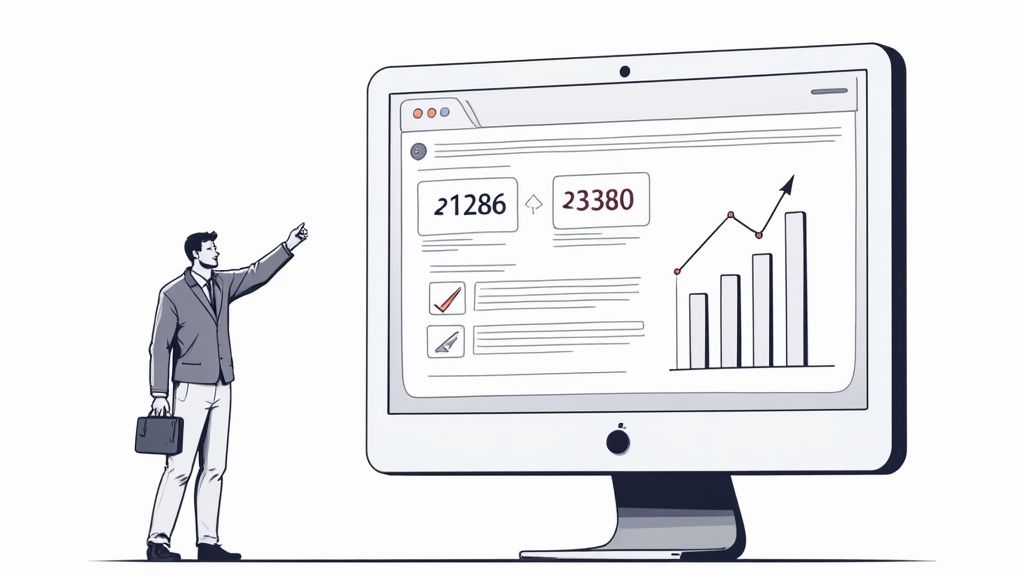
For a local business rooted right here in the Monterey Bay Area, a "conversion" is rarely a simple online purchase. It’s any meaningful action a potential customer takes that brings them one step closer to hiring you. Truly understanding what conversion tracking is means identifying these pivotal moments, measuring where they came from, and seeing how often they happen. This is the bedrock of smart, profitable marketing.
These actions are the lifeblood of a local business. They signal real interest from real people in our community. Without tracking, you might see that you got 100 website clicks, but you'll have no idea if a single one turned into a high-value job in Carmel-by-the-Sea or a simple service call in Gilroy.
What Is a Valuable Conversion?
At its core, a conversion is any specific, high-value action you want a visitor to take on your website. For businesses across Santa Cruz County, this isn't just theory—it’s about measuring real-world results.
Many business owners get hung up on metrics like website traffic or keyword rankings. While important, those are just stepping stones. What you really need to measure are the actions that lead directly to revenue.
Common Conversions for Monterey Bay Businesses
| Conversion Type | Local Business Example | Why It Matters |
|---|---|---|
| Lead Form Submissions | A potential customer from Hollister fills out your "Request a Quote" form. | This is a direct expression of interest, giving you their contact info. |
| Phone Calls | Someone in Pacific Grove clicks the phone number on your mobile site to call your office. | An immediate, high-intent lead from someone ready to talk business. |
| Service Bookings | A homeowner in Seaside schedules an appointment directly through your website's booking tool. | This action locks in a potential job with minimal effort from your team. |
| Email Newsletter Sign-ups | A prospective client from Watsonville signs up for your updates and offers. | Builds your long-term marketing list for future promotions and nurturing. |
Tracking these specific actions moves your focus away from "vanity metrics" like clicks and likes and toward what actually impacts your bottom line: leads and revenue.
The real purpose of conversion tracking is to draw a straight line from your marketing budget to these valuable customer actions.
By measuring these outcomes, you get a crystal-clear picture of which advertising channels are delivering the best return on investment (ROI). This process is closely tied to monitoring your overall online visibility; in fact, you can learn more about how to track SEO rankings in our detailed guide. Armed with this knowledge, you can confidently invest more in what works and cut what doesn't. It’s how smart local businesses don't just survive—they thrive in our competitive coastal economy.
Did You Know?
The Monterey Bay Area is a global hub for agricultural technology (AgTech). The same data-driven principles that fuel our region's innovation in the fields can be applied to grow your business online through smart marketing analytics.
How Conversion Tracking Actually Works
Let's pull back the curtain on how conversion tracking works, without the confusing technical jargon. The easiest way to think about it is like a digital breadcrumb trail left by your potential customers. The process is surprisingly straightforward but incredibly powerful for any business in the Monterey Bay Area.
Imagine a potential customer over in Watsonville sees your Google Ad for a local service. They click on it and land right on your website. After looking over your services, they decide to fill out your "Request a Quote" form. The moment they hit "submit" and land on your "Thank You" page, the magic happens.
The Pixel and the Signal
On that "Thank You" page, a tiny, invisible piece of code—often called a tracking pixel or a tag—gets triggered. This little snippet of code acts like a messenger. It shoots a signal straight back to the platform where the ad came from (like Google Ads or Meta) and essentially says, "Success! The person who clicked that ad from Watsonville just completed the goal."
This simple confirmation is the heart of what conversion tracking is. It creates a direct link between the money you spent on an ad and a real, valuable action from a potential customer. Without it, you’d know someone clicked, but you’d have no clue if that click ever turned into a real lead for your business in Santa Cruz County.
This graphic breaks down that simple but powerful journey, from the first ad click to a completed action.
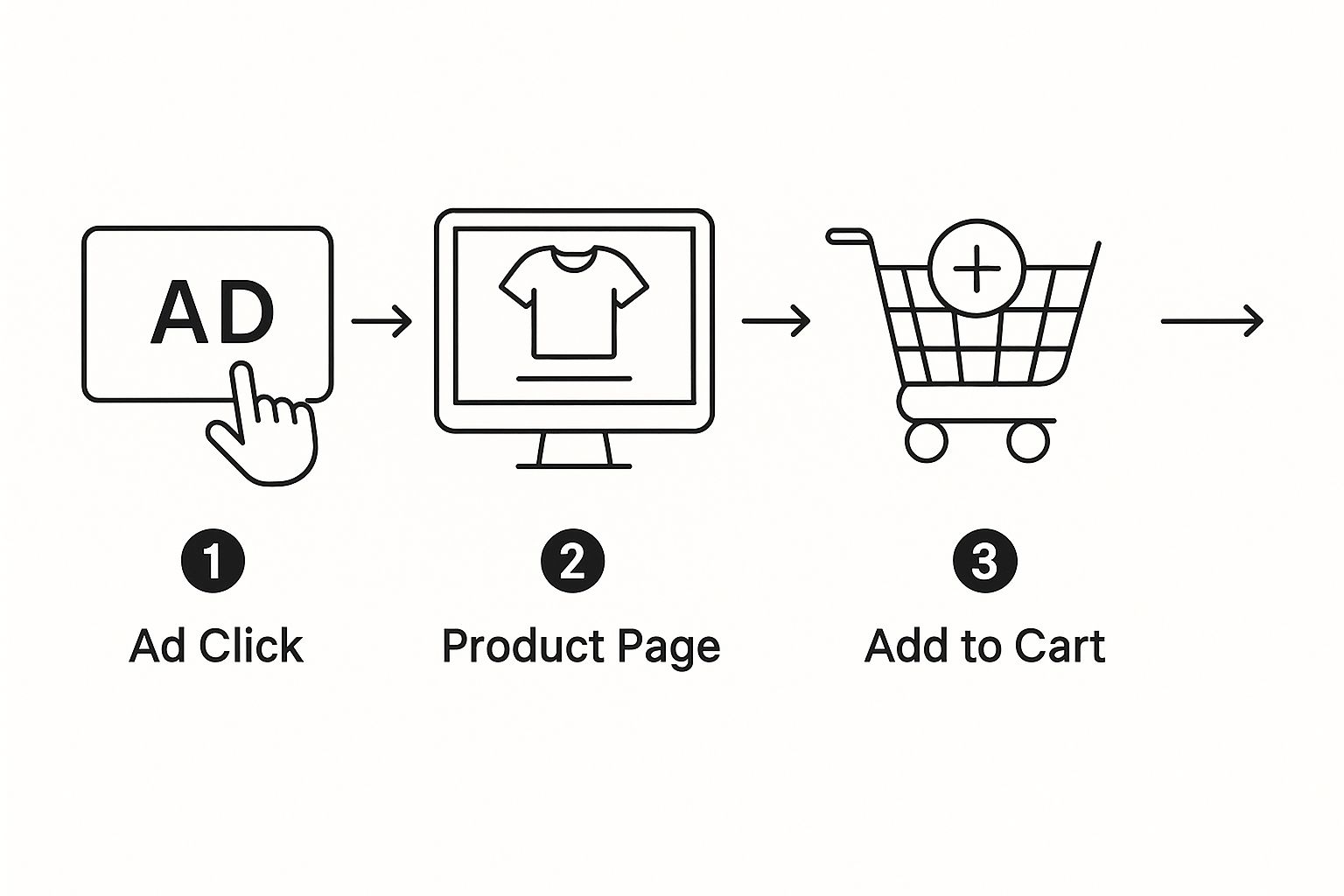
As you can see, every step is measurable. It gives you a clear line of sight from your advertising dollars to real business results.
Two Main Methods Explained
You don't need to be a coding wizard to get this, but it helps to know the two main ways this tracking happens:
-
Client-Side Tracking: This is the most common method. The tracking pixel is placed in the user's web browser (the "client"). When a visitor hits your confirmation page, their browser runs the code and sends the "success" signal directly back to the ad platform. It's reliable and pretty easy to set up.
-
Server-Side Tracking: This is a more advanced and robust approach. Instead of the signal coming from the user's browser, your website's server sends it. This method is often more accurate because it can't be blocked by browser privacy settings or ad blockers, giving you a much cleaner set of data to work with.
The key takeaway is this: you don't need to understand the code, just the concept. Knowing that a system exists to connect your ads to results is the first step toward smarter marketing.
Understanding this process empowers you, the business owner, to ask the right questions and demand measurable results from your marketing efforts. It’s a foundational piece of a strong online presence, working hand-in-hand with other digital strategies. In fact, we believe that for businesses in our area, local SEO is the key to business success.
Setting Up Tracking on Key Platforms
Alright, now that we’ve covered the "what" and the "why," let's get our hands dirty. This is where the rubber meets the road. Setting up tracking is what gives you a real-time map of your marketing efforts, whether you're trying to land jobs in Hollister or get noticed by digital marketing for Santa Cruz retailers.
While every platform has its own little quirks, the basic steps are pretty much the same. You decide what counts as a win, you grab the special tracking code from the platform, and you put that code on your website.
Don't worry, you don't need to become a coding genius overnight. The goal here is to understand the fundamentals so you can either handle the basics yourself or have a smart conversation with your marketing team. For any local business in Monterey County, the absolute must-haves are Google Ads and Google Analytics, with Meta’s tools being a close second for social media.
Getting Started with Google Ads and GA4
If you're spending money on Google Ads, setting up conversion tracking isn't optional—it's essential. This is how you tell Google's algorithm which ads and keywords are actually making your phone ring or getting you leads from a potential customer in Salinas. Without it, you’re just throwing money at the wall and hoping something sticks, with no way to improve your Return on Ad Spend (ROAS). ROAS is a metric that measures the gross revenue generated for every dollar spent on advertising.
Google Analytics 4 (GA4) is the perfect partner to Google Ads. It gives you the bigger picture, showing you how all your website visitors behave, not just the ones who clicked an ad. By setting up what GA4 calls "Key Events," you can follow the entire customer journey from start to finish.
A standard setup usually follows these steps:
- Define Your Conversion Action: First, you’ll head into your Google Ads account and create a "New conversion action." This is where you tell Google what you want to track—a "Submit lead form," for example.
- Generate the Tracking Tag: Google will then give you a unique piece of code, usually called a Google Tag. Think of it as a digital listening device.
- Install the Code: This tag goes on every single page of your website. Then, a smaller, more specific "event snippet" gets placed only on the confirmation page a customer sees after they convert, like your "Thank You" page.
Here’s an easy way to think about it: The main Google Tag is like the electrician running the main power line to your house. The event snippet is the light switch you install in a specific room—it only flips on when someone takes that one specific action.
Tracking on Meta (Facebook and Instagram)
If you're using social media to find customers across Santa Cruz County, the Meta Pixel (what we used to call the Facebook Pixel) is your go-to tool. It’s another small piece of code you add to your website, but this one reports back to Facebook and Instagram, showing you how well your social ads are performing.
The process is almost identical to the Google setup:
- Create Your Pixel: Go into Meta's Events Manager and generate your unique Pixel code.
- Install the Pixel: Add that base code into the header of your website.
- Set Up Events: Define the key actions you want to track, like a "Lead" or "Contact," so you know which social media campaigns are driving real business.
The Power of Google Tag Manager
Juggling all these different tracking codes can quickly turn into a tangled mess. That’s where a tool like Google Tag Manager (GTM) becomes a lifesaver. It’s a free tool that acts like a toolbox for all your tracking tags.
Instead of plastering multiple codes all over your website, you just install the one GTM code. Then, from the GTM dashboard, you can add, remove, and manage all your other tags (Google Ads, GA4, Meta Pixel) without ever having to touch your site’s code again. It simplifies everything and seriously reduces the risk of breaking something on your website.
Using these tools smartly is a cornerstone of how effective marketing analytics can impact your campaign success.
Connecting Online Clicks to Offline Sales
For so many hardworking businesses in our region, the most important deal doesn't happen with an online checkout. That high-value remodel in Carmel-by-the-Sea or the emergency service call in Salinas is sealed with a handshake or a phone call, not a click. This creates a huge gap: how do you prove your online ads are actually driving this real-world business?
This is where offline conversion tracking becomes a game-changer. It’s the set of tools and techniques we use to connect your digital marketing dollars to the revenue you earn in the real world. Without it, you're only seeing half the picture, and you might be undervaluing your most effective ads just because the final "sale" didn't happen on your website.
The whole point is to give you a complete, honest look at your return on investment. For a business owner in Santa Cruz County, this means being able to say with total confidence that a specific Google Ad campaign led directly to a high-value project, even though the final agreement happened over the phone.
Bridging the Digital and Physical Worlds
At its core, the idea is to create a digital "fingerprint" that follows a lead from their first click all the way to a signed contract. You can pull this off with a few powerful strategies that are surprisingly practical for any local business.
Here are the most common methods we put into action:
-
Call Tracking: This is one of the simplest yet most effective tools out there. We assign unique, trackable phone numbers to different ad campaigns or even your Google Business Profile. When a customer dials that specific number, the system credits the right marketing source, proving which ad made your phone ring. You can even take advantage of Google Maps to attract more customers by implementing call tracking right on your profile.
-
CRM Data Imports: If you use a Customer Relationship Management (CRM) system to keep track of your leads and customers, we can import that sales data back into your ad platforms. By matching up information like email addresses or phone numbers, we can connect a closed deal in your CRM directly back to the original ad click that brought you the lead in the first place.
Offline conversion tracking emerged as a vital practice for bridging online marketing efforts with offline sales. Experts estimate that businesses employing these techniques improve their marketing effectiveness by 10-15% due to better attribution accuracy.
By connecting these dots, you finally get a full-circle view of your marketing performance. You'll know with certainty which campaigns are not just generating clicks but are actually putting money in your pocket. This allows you to invest your advertising dollars with total confidence. You can find out more about the impact of offline conversion tracking by reviewing these insights on analytics and offline sales.
Using Conversion Data to Grow Your Business
Once your conversion tracking is up and running, the data will start flowing in. This is where the real fun begins—turning those raw numbers into strategic moves that actually grow your business. The beauty of conversion data isn't just that it tells you if your marketing is working; it shows you precisely which parts are hitting home runs.
This data is your roadmap. It reveals exactly which keywords, ads, and audiences are bringing in the best leads. For example, a roofer based in Salinas might look at their data and see that Google Ads targeting “emergency roof repair” convert at a far higher rate than campaigns for “new roof installation.” That single insight is pure gold.
This is the entire point of conversion tracking. It takes the guesswork right out of your marketing strategy.
Turning Insights into Action
Armed with this kind of clear-eyed data, you can start making smart, decisive moves. Instead of spreading your marketing dollars thin across every possible channel, you can confidently double down on what works and cut what doesn’t without a second thought.
This data-driven approach lets you:
- Allocate Your Budget Smarter: You can shift your ad spend away from low-converting campaigns and pour it into your high-performers, maximizing the return on every single dollar.
- Refine Your Ad Copy and Offers: Test different messages to see what really resonates with customers in Monterey County. Maybe an ad promising "Same-Day Service" in Santa Cruz completely outperforms a "10% Off" discount in Hollister.
- Identify New Opportunities: You might stumble upon unexpected keywords or audiences that are driving valuable leads, opening up new avenues for growth you hadn't even considered.
The whole point of tracking conversions is to get the data you need to implement effective strategies to improve conversion rates and drive more revenue.
This process reinforces the ultimate goal: stop wasting money, maximize your return on investment (ROI), and help your Monterey Bay business grow smarter and faster than the competition.
This practice has come a long way since Google Ads first introduced conversion measurement back in the late 2000s. Today, businesses that align their advertising with solid conversion data can see a serious boost in their return on ad spend (ROAS)—some reports show improvements of up to 20%.
By consistently analyzing this data, you stop reacting and start building a proactive growth strategy. You stop guessing and start knowing. This is especially true when you use the information to fine-tune your website and landing pages. For more hands-on techniques, check out our guide on powerful conversion optimization tips to really ramp up your results.
Common Questions About Conversion Tracking
Even when you get the concept of conversion tracking, it’s completely normal to have more questions. We hear them all the time from business owners right here in the Monterey Bay Area. This stuff is the foundation of your marketing, and getting it right can mean the difference between a great ROI and wasted ad dollars.
Let’s tackle some of the most common questions we get, with clear, straightforward answers to help you feel confident about your next steps.
How Much Does It Cost to Set Up?
This is usually the first question on everyone's mind, and the answer is good news. The tools themselves—like the Google Analytics 4 (GA4) platform or the Meta Pixel—are completely free to use.
The real investment comes down to the time and expertise needed to set them up correctly. A basic setup might be rolled into a larger marketing package from an agency. For a more complex website or one that needs offline tracking, you might be looking at a small, one-time project fee. But it's crucial to see this as an investment, not a cost. The money you put into a proper setup is quickly paid back by preventing you from pouring cash into ad campaigns that simply don't work.
Can I Track Conversions Without an E-commerce Site?
Absolutely. This is probably the biggest misconception we see among local businesses in Monterey County. For most contractors, plumbers, and retailers, the most valuable "sale" isn't a product in a shopping cart—it's a qualified lead.
You should absolutely be tracking high-intent actions like:
- Phone calls started right from your website
- Contact form submissions for a new quote
- Appointments booked through an online calendar
- Downloads of a service guide or brochure
Each of these actions represents a potential customer from Salinas or Santa Cruz knocking on your door. Tracking them is the only way to understand your marketing's real-world impact.
What Is the Difference Between a Click and a Conversion?
Getting this distinction right is everything when it comes to understanding your campaign's performance.
A click means someone showed a flicker of interest by clicking your ad. A conversion is the valuable action that happens after the click, like calling your business or filling out that form.
Think of it this way: a campaign that gets thousands of clicks but zero phone calls is a failure. Clicks tell you your ad is grabbing attention, but conversions tell you it's actually getting results. When you focus on conversions, you can fine-tune your marketing to attract people who are truly ready to hire you.
Is Conversion Tracking Difficult to Maintain?
Once an expert gets it set up correctly, basic conversion tracking is pretty low-maintenance. It’s not something you have to fiddle with every day. However, it's smart to have it audited periodically—especially after you make big changes to your website—just to make sure all the data is still flowing accurately.
Using a tool like Google Tag Manager (GTM) makes this whole process much smoother and less prone to breaking. Partnering with a professional SEO agency in Salinas like Core6 Marketing ensures your data stays solid, giving you the confidence to make critical business decisions knowing your numbers are 100% reliable.
Ready to stop guessing and start knowing exactly which marketing efforts are growing your business? At Core6 Marketing, we specialize in setting up and managing robust conversion tracking systems for local businesses. We'll give you the clear data you need to maximize your ROI.
Schedule your free, no-obligation consultation today!
By Phil Fisk, CEO, Core6 Marketing
Phil Fisk is the founder of Core6 Marketing, a digital marketing agency in Salinas, CA, dedicated to helping local businesses generate more leads and achieve measurable growth. With over a decade of experience, Phil specializes in local SEO and data-driven advertising strategies for the Monterey Bay community.
Core6 Marketing
1628 N. Main St #263, Salinas, CA 93906
831-789-9320
[email protected]
https://core6.marketing/