
Is your website losing potential customers seconds after they arrive? Learning how to improve bounce rate is critical for any business owner in the Monterey Bay Area. The solution almost always comes down to improving the user's experience—making your site faster, ensuring the content is relevant, and simplifying how people find what they need.
Making these changes encourages visitors from Salinas to Santa Cruz to click around and explore instead of hitting the back button after seeing just one page.
Why Bounce Rate Matters for Your Monterey Bay Business
For any business in Monterey County, from a retailer in Carmel-by-the-Sea to an ag tech startup in Salinas, your bounce rate is more than just a number. It’s a direct signal of how interested (or uninterested) visitors are in what you have to offer.
A bounce rate tells you how many people land on your site and leave without clicking a single link to another page. A high bounce rate is a red flag, often signaling a major disconnect between what a potential customer expected and what they actually found.
This is exactly why figuring out how to improve your bounce rate is so critical. You're not just trying to make a metric look better; you're creating an experience that turns curious visitors into paying customers. If your site is slow, confusing, or irrelevant, that visitor from Pacific Grove is gone in a flash.
Setting Realistic Expectations
Before you start overhauling your site, you need a baseline. What does a "good" or "bad" bounce rate even look like for a local business? It’s not a one-size-fits-all number. A local news blog will naturally have a much higher bounce rate than an e-commerce store because visitors often just read one article and then leave.
Context is everything. Here’s a look at how average bounce rates can vary across different types of websites:
- Shopping Websites: ~45.68%
- Business & Industrial Sites: ~50.59%
- Travel Websites: ~50.65%
- Blogs & Content Sites: Often over 65%
This data shows that what’s considered normal for a travel site would be alarming for a local service provider's page. You’ll want to compare your numbers to industry benchmarks to see where you stand.
To help you get started, here's a quick look at why visitors might be leaving your site and the first steps you can take to encourage them to stay.
Common Bounce Rate Issues and How to Fix Them
| Common Cause | What It Signals to Users | Actionable First Step |
|---|---|---|
| Slow Page Load Speed | "This isn't worth the wait." | Compress images and use a caching plugin to speed up load times. |
| Confusing Navigation | "I can't find what I'm looking for." | Simplify your main menu to include only essential pages like "Services," "About," and "Contact." |
| Irrelevant Content | "This isn't what I searched for." | Align your page titles and headlines with the content on the page to match user intent. |
| No Clear Call-to-Action | "What am I supposed to do next?" | Add a clear button like "Get a Free Quote" or "Schedule a Consultation" above the fold. |
| Not Mobile-Friendly | "This looks broken on my phone." | Use Google's Mobile-Friendly Test to check your site and fix any layout issues. |
These are just a few of the most common culprits. Fixing them is often the fastest way to see a meaningful improvement in how long visitors stick around.
Key Takeaway: A high bounce rate isn't just a website problem; it's a business problem. It means missed opportunities to connect with local customers, generate leads, and grow your revenue right here in our coastal economy.
By keeping an eye on this metric, you gain invaluable insight into your website's health. You can quickly see which pages are performing well and which ones need immediate attention. Regularly reviewing this data is fundamental, and using a well-structured marketing performance dashboard can make this process a whole lot easier by turning abstract numbers into a clear action plan.
Finding the 'Why' Behind Your Bounce Rate in GA4
You can’t fix what you don’t measure. For many Monterey Bay business owners, opening up Google Analytics 4 (GA4) feels intimidating. But once you know where to look, it’s an incredibly powerful tool for diagnosing why potential customers are leaving your website.
Instead of just guessing, GA4 gives you the hard data to move from a vague feeling like, "I think my site is confusing," to a specific, actionable insight: "I know visitors from Santa Cruz are leaving my services page after only 3 seconds." Making that shift is the first real step toward effectively learning how to improve bounce rate.
Digging into Your Landing Page Report
Your first stop inside GA4 should always be the Landing Page report. It shows you which pages are the first point of contact for your visitors and, more importantly, which ones are making them turn right back around.
A high bounce rate on a specific page is a massive red flag—it signals a major disconnect. For example, you might find that your page targeting local businesses has a staggering 90% bounce rate. This tells you instantly that the visitors landing there aren't finding what they need. The problem could be anything from:
- Content Mismatch: The page is all about national trends, but the visitor was searching for a local solution.
- Slow Load Speed: The page is so slow to load that people just give up and click away.
- Poor Mobile Experience: It’s a jumbled mess on a smartphone, impossible to read or navigate.
This simple infographic breaks down the process of using analytics to find and fix these kinds of problems.
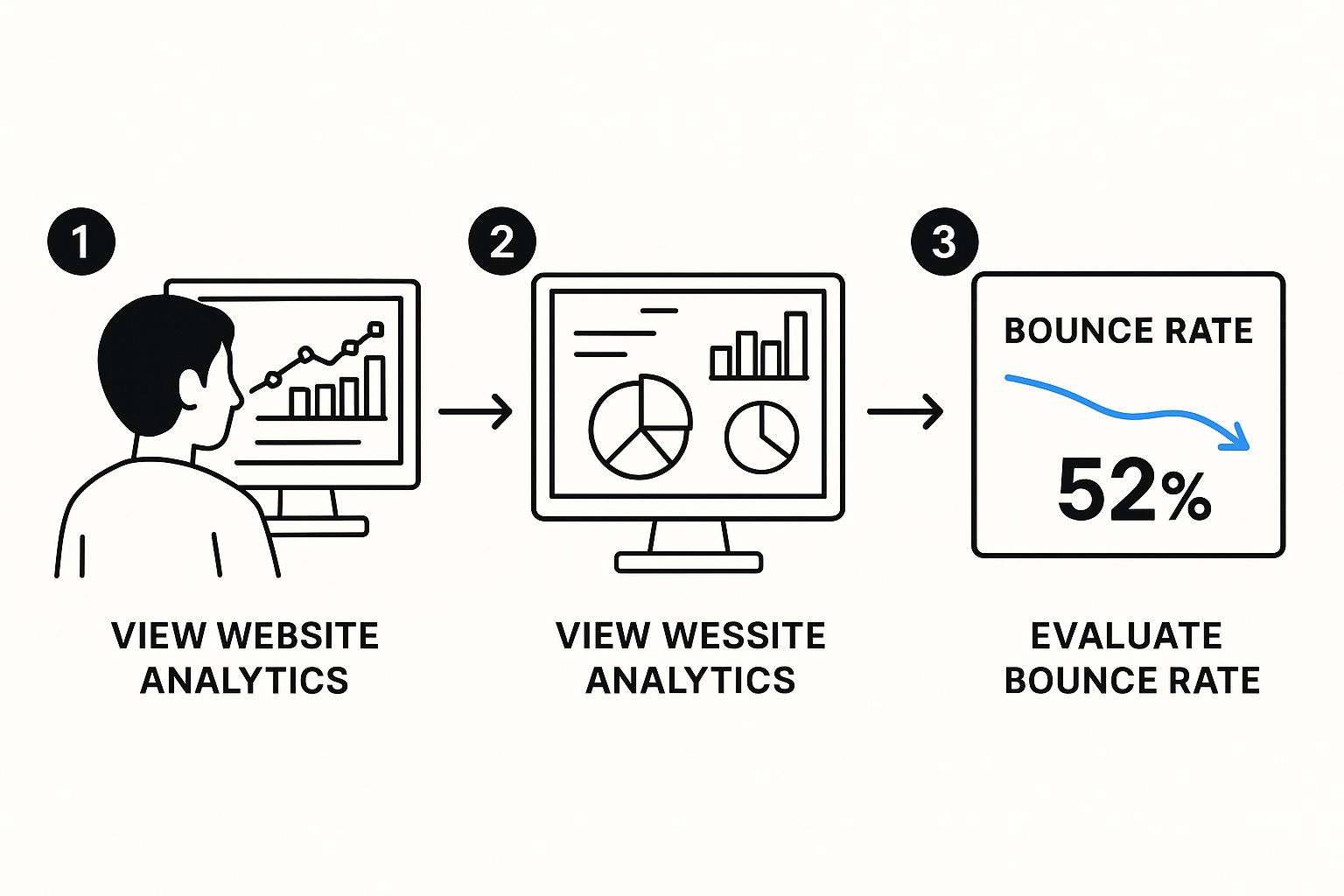
As you can see, it all starts with identifying the problem pages in your analytics. Only then can you start testing specific fixes to improve engagement.
Filtering Data for Local Insights
Here’s where it gets really powerful: layering local data onto your reports. GA4 lets you filter your audience by geographic location, giving you laser-focused insights into how people from different parts of our region are behaving. You can isolate traffic from San Benito County, for example, and see if their experience is different from users in Monterey.
Imagine you're running a campaign for an "SEO agency in Salinas," but the traffic from that specific campaign has a sky-high bounce rate. By filtering your report to only show that audience segment, you can confirm the problem is with that campaign's landing page, not your entire site. This kind of targeted data is gold because it stops you from making broad, unnecessary changes to pages that are already working well.
Key Takeaway: Don't treat all your website traffic the same. Segmenting your analytics by geography and traffic source turns raw data into actionable stories about what your local customers actually want.
This data-driven approach doesn't just lower your bounce rate; it makes your entire marketing spend more efficient. When you identify and fix underperforming pages, you ensure your ad budget is driving engaged traffic—a core principle we cover in our guide on 7 proven strategies to lower customer acquisition cost. Analytics makes your whole marketing effort smarter.
Boosting Site Speed Across the Monterey Bay
In our fast-paced coastal economy, a slow website is one of the fastest ways to send a potential customer packing.
Picture this: a business owner in Hollister or Pacific Grove needs your services. They find you on Google, click your link, and then… they wait. And wait. Every extra second it takes for your page to load dramatically increases the chance they’ll hit the back button and head straight to a competitor.
This isn't just about impatience; it’s about trust. According to HubSpot, a delay of just one second can slash conversions by 7%. For a business serving Monterey County, those lost leads add up quickly. Speed isn’t a techy detail—it's your digital first impression.

The good news? You don’t need to be a web developer to make a real difference. A few practical tweaks can shave precious seconds off your load times, making your site feel snappy and responsive for visitors from Marina to Seaside.
Quick Wins for a Faster Website
You can start improving your site's performance today with a few straightforward actions. These aren't complicated overhauls; they're some of the most effective, low-effort changes you can make.
Here are three key areas to tackle first:
- Compress Your Images: Those beautiful, high-resolution photos of your projects are fantastic, but they're often huge files that drag your site's speed down. Run them through a free online tool or a WordPress plugin before you upload. This shrinks the file size without a noticeable drop in quality, so your portfolio loads in a flash.
- Leverage Browser Caching: Caching is like giving a return visitor's computer a memory of your site. It stores static elements—like your logo and fonts—so they don't have to be re-downloaded every single time. Installing a simple caching plugin is one of the easiest ways to make your site feel instantly faster for repeat visitors.
- Choose the Right Web Hosting: Think of your web host as the engine powering your website. A cheap, shared hosting plan might seem like a good deal, but it means you're sharing server resources with hundreds of other sites. For a serious business serving the Monterey Bay, investing in quality hosting ensures your site can handle traffic and load quickly for every single visitor.
Pro Tip: Use a free tool like Google PageSpeed Insights. Just pop in your website’s URL, and it will give you a performance score and a prioritized to-do list. It tells you exactly where to focus your efforts for the biggest speed gains.
Crafting an Intuitive User Experience
A fast website is great, but it’s only half the battle. If a potential customer lands on your site and can't immediately figure out where to go or what to do, they'll leave just as quickly.
A confusing website is a frustrating one, and that frustration is a one-way ticket to a high bounce rate. The whole point is to make your site a breeze to use, so visitors from Watsonville to Gilroy feel confident enough to stick around and see what you offer.
Your job is to create a smooth, logical path that guides them from where they land to the next step, whether that's exploring your services or hitting that "Get a Quote" button.
Make Your Navigation Crystal Clear
Your main navigation menu is the roadmap for your entire site. If it's cluttered or uses vague labels instead of plain English, people will get lost. Fast.
Stick to simple, direct terms that everyone understands.
- Logical Menu Structure: Put your most important pages front and center. For most businesses in Monterey County, this means a clean menu with "Services," "About Us," "Case Studies," and "Contact."
- Compelling Calls-to-Action (CTAs): A CTA, or call-to-action, tells the user what to do next, like "Get a Free Quote." These buttons need to be prominent and use action-oriented language. We get into the nitty-gritty of this in our guide on the top conversion rate optimization strategies for the Monterey Bay.
- Intuitive Layout: Organize your page content with bold headlines, helpful subheadings, and short paragraphs. This helps users scan the page to find exactly what they need without feeling overwhelmed by a wall of text.
Prioritize the Mobile Experience
Let's be real: a huge chunk of your customers are searching for you on their phones. A clunky mobile website is a guaranteed way to lose that business.
What looks fantastic on a big desktop monitor can easily become a jumbled, unusable mess on a small screen. When that happens, you can bet they’re hitting the back button.
The data doesn't lie. Bounce rates are almost always higher on mobile devices. One study found that Twitter’s bounce rate was a staggering 25% lower on desktops than on mobile. This just goes to show how a poor mobile experience can torpedo your ability to keep visitors engaged. You can read more about these device-specific statistics and see for yourself how critical mobile-first thinking is.
Key Takeaway: A great user experience isn't about flashy animations or complicated designs. It’s about clarity. A simple, well-organized site that works flawlessly on a phone will always outperform a complex one that makes users think too hard. Your goal is to remove every last bit of friction.
Creating Content That Connects and Converts
Your website's content has one job to do in the first three seconds: answer a visitor's unspoken question, "Am I in the right place?" If the answer isn’t a loud, clear “yes,” they’re gone. Learning how to improve bounce rate really starts with creating content that grabs attention and delivers on its promise.
Think about it from your customer's perspective. Someone in Salinas clicks an ad for an "SEO agency in Salinas." They land on your page, and if it's all generic jargon without a single mention of local expertise, you've created a massive disconnect. That visitor will bounce without a second thought.
This alignment between what brought them there and what they see on the page is non-negotiable. It's all about meeting—and then exceeding—their initial expectations.
Building Pages for Easy Scanning
Let’s be honest: people don't read websites anymore. They scan. Your job is to make your most important information jump off the page so a visitor can get the gist in just a few seconds.
Instead of writing dense paragraphs, break your content into digestible chunks.
- Benefit-Driven Headlines: Your main headline shouldn't just state a service; it should promise a solution. Instead of "Our Services," try something like, "Digital Marketing for Santa Cruz Retailers." See the difference?
- Clear Subheadings: Use H2s and H3s to organize your content into logical sections. This helps visitors find the exact piece of information they’re looking for.
- Bulleted and Numbered Lists: Features, benefits, or your process become much easier to absorb when you list them out.
- High-Quality Local Imagery: Stock photos are out. Use pictures of your actual team and projects from right here in our community. Seeing familiar landmarks builds instant trust.
Guiding Visitors Deeper with Internal Links
A "bounce" is technically a single-page visit. One of the simplest yet most powerful ways to prevent this is by using internal links to guide visitors deeper into your site. These links are like signposts, inviting them to continue their journey with you.
By strategically linking to other relevant pages, you can turn a potential bounce into an engaged, potential lead. For example, a blog post about local SEO should absolutely link to your main service page. For businesses looking to scale, considering options like digital marketing outsourcing can bring in expert help to fine-tune both user experience and content strategy.
Proof from the Pros: World-class platforms show that engaging content is the secret to keeping users hooked. Take YouTube, for example. With its endless library of videos, its bounce rate was just 34.29% in July 2023. This is a powerful reminder of how compelling content and a great user experience directly impact how long people stick around.
Ultimately, your content needs to work hand-in-hand with your site's structure and SEO. As you make your pages more engaging, you're also sending positive signals to Google. We explain more in our guide on the 3 crucial SEO elements that boost website traffic.
Your Next Steps to a Lower Bounce Rate
We’ve pulled back the curtain on bounce rate—covering the why and the how. Now it’s time to put these ideas to work. Think of this not as a one-time project, but as an ongoing commitment to testing, tweaking, and constantly improving your website for visitors across the Monterey Bay Area.
Remember, every small improvement builds trust. Whether it’s shaving a second off your load time or clarifying a service description, each change helps turn a casual visitor from anywhere in Monterey County into a loyal, paying customer. The goal is simple: make every click, every scroll, and every moment on your site a positive one.
We've walked through diagnosing issues with analytics, optimizing for speed, enhancing the user experience, and creating content that actually connects. For a detailed refresher and even more tactics, you can review our full guide on how to decrease bounce rate.
Ready to see a real, measurable difference in your lead generation? The first move is understanding exactly where your website stands today.
Let's Get Started
Contact Core6 Marketing for a personalized website analysis. We’ll dive into your analytics, walk you through the data, and show you exactly where to focus your efforts to get the best return.
By Phil Fisk, CEO, Core6 Marketing
Phil Fisk is the founder of Core6 Marketing, a digital marketing agency in Salinas, CA, that's dedicated to helping local businesses thrive. With a sharp focus on data-driven strategies and measurable ROI, Phil and his team build high-performing websites that turn clicks into customers across the Monterey Bay Area.
Core6 Marketing
1628 N. Main St #263, Salinas, CA 93906
831-789-9320
[email protected]
https://core6.marketing/
Answering Your Top Questions About Bounce Rate
I talk to local business owners all the time, and bounce rate is a metric that trips up a lot of people. It sounds technical, but the questions are usually pretty straightforward. Let's clear up some of the most common ones we hear from businesses trying to get a handle on their website's performance.
What Is a Good Bounce Rate for My Local Business Website?
Honestly, there's no single magic number. A "good" bounce rate really hinges on your industry and the type of page someone is visiting. For most service and retail businesses here in places like Monterey or Salinas, a rate somewhere between 40% and 60% is a pretty healthy average.
But context is everything. Here’s how I break it down for my clients:
- Your Main Service Pages: If you're seeing bounce rates creeping above 60% on your core service pages, that's a potential red flag. It might mean your message isn't connecting or the page is slow.
- Blog Posts & Articles: Don't panic if your blog posts have higher bounce rates, sometimes even 60% to 80%. This is completely normal. People often land on a blog from a Google search, find the specific answer they need, and then leave. That’s a successful visit, not a failure.
- Contact & "About Us" Pages: These pages should naturally have a high bounce rate. A visitor lands there, grabs your phone number or address, and then closes the page to call you. Mission accomplished!
The real key is to stop worrying about hitting a universal "good" number and start focusing on improving your own metrics over time.
How Long Does It Take to See Improvements in My Bounce Rate?
You can start seeing the needle move fairly quickly. After you make a big, tangible change—like dramatically improving your site speed or completely rewriting a confusing landing page—you might notice a shift in your bounce rate in just a few weeks. Google Analytics is pretty good at picking up on those initial user behavior changes.
That said, to be sure you've made a real, lasting impact, you'll want to let the data cook for about 1 to 3 months. This gives you enough time to see a stable trend emerge, smoothing out any random daily spikes and proving your fixes are working.
Does Improving My Bounce Rate Help My SEO Ranking?
This is a great question. While Google has been cagey and never officially stated that bounce rate is a direct ranking signal, the things you do to lower it are absolutely fantastic for your SEO.
Think about what a low bounce rate really means. It's a symptom of a great website—one that's fast, mobile-friendly, easy to navigate, and has clear, helpful content.
These are precisely the kind of powerful, positive signals that Google’s algorithm is built to reward. When you create a better, more engaging experience for users in Santa Cruz County and the surrounding areas, you are directly feeding the machine that boosts your visibility in local search results. It's all connected.