When you sign a new client, the real work is just beginning. A great start builds the trust needed for a successful partnership and earns glowing reviews that attract more customers. Strong customer onboarding best practices are your secret weapon, turning a new client in Salinas into a long-term fan of your brand. In a competitive market like Monterey County, a smooth welcome process makes your business stand out, reduces client stress, and prevents constant "just checking in" calls.
This guide shares simple strategies for businesses in the Monterey Bay Area. We'll help you create a great experience from the first handshake to the final project delivery. By setting clear expectations, you can build stronger client relationships and grow your business from Santa Cruz to Hollister.
A good onboarding process is key to keeping clients happy. For a deeper dive, check out these 9 essential customer onboarding best practices that cover everything from making it personal to celebrating small wins. Let's look at practical steps you can use right away.
1. Set Crystal-Clear Expectations with a Welcome Kit
Don't leave your new client in Gilroy guessing what comes next. A welcome kit is one of the best customer onboarding practices because it replaces confusion with clarity. This isn't just a folder with a business card. It's a full guide to working with you, showing you're an organized, professional expert from day one.
When you answer common questions ahead of time, you build confidence and prevent future problems. A good welcome kit is a go-to resource that reduces phone calls and sets a positive tone for your work together in Monterey County.
What to Include in Your Welcome Kit
Your welcome kit should be a simple resource for your client. Think of every question a new customer has asked you and answer it here.
- A Detailed Project Timeline: A web designer in Carmel-by-the-Sea could share a timeline with dates for design mockups, development, and the final website launch.
- 'What to Expect' Guide: This sets day-to-day expectations. A consultant in Hollister might explain their meeting schedule and how they'll deliver reports.
- Key Contact Information: Provide names, roles, and direct contact details for the project manager and other key team members.
- Communication Plan: Clearly state how and when you will provide updates (e.g., weekly email summaries, scheduled phone calls).
- How-To Guides: Include simple instructions for important things, like how to use new software or request a change. An IT services company in Salinas could provide a guide on submitting a support ticket.
Key Insight: A welcome kit turns the quiet time after a sale into a period of calm confidence. It’s your first and best chance to show you are a pro and manage client expectations before the project even starts.
2. Introduce New Systems with Interactive Onboarding
Instead of giving a client in Santa Cruz a boring manual, show them how to use a new system with an interactive tour. This modern approach to customer onboarding best practices uses on-screen prompts and guided tasks to help clients learn by doing. It turns a confusing technical task into a simple and fun first experience.
This method is great for businesses that use client portals or install new software. By walking them through the steps, you make sure they know how to use the new technology. This cuts down on support calls and builds their confidence in working with your company in Monterey County.
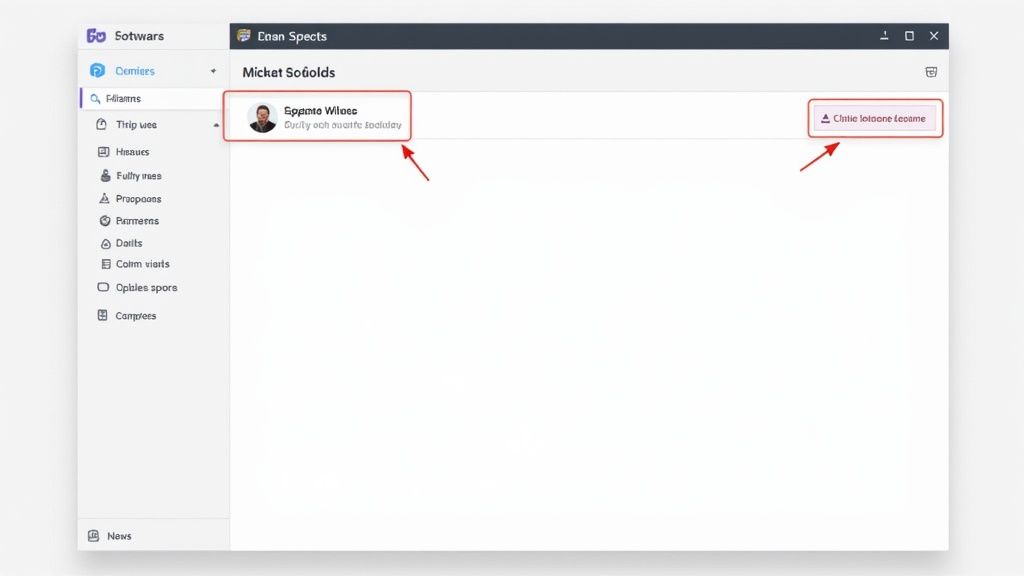
How to Create an Effective Interactive Guide
Your goal is to make the client feel like an expert by the time they finish. The process should feel natural, asking them to do things to move forward.
- Highlight Core Features First: A digital marketing agency in Gilroy could create a tour that first shows a client how to view their monthly report, then how to see their ad performance.
- Keep It Short and Action-Oriented: Avoid long explanations. Use short prompts like, "Click here to see your results," or "Tap the 'Schedule' button to begin."
- Provide an Easy "Exit" or "Skip" Option: Not every client needs the full tour. Letting them skip it respects their time and comfort level.
- Focus on the "First Win": Structure the tour so the client does something useful right away. For a marketing agency in Salinas, this could be helping them find their first lead in the new system. To learn more about making your client welcome smooth and easy, explore these client onboarding automation strategies.
- Make It Accessible Later: Let the client re-launch the tour from a help menu. This turns it into a training tool they can use anytime.
Key Insight: Interactive tours replace boring reading with active learning. They make complex systems simple, reduce mistakes, and help clients get value from your work right away.
3. Reduce Time-to-Value to Deliver an Early Win
The time between when a client pays you and when they get their first real benefit is very important. Shortening this "Time-to-Value" (TTV) is one of the most powerful customer onboarding best practices. The goal is to give your client a quick "aha moment" that proves they made the right choice in hiring you.
For a service business in Santa Cruz County, this doesn't mean finishing the job in one day. It's about delivering a small, important win that shows your value right away. A quick result proves you are good at what you do and makes the client feel confident.
How to Accelerate Your Client’s First Success
Find the fastest way to deliver value and remove any roadblocks. You want the client to feel smart for choosing your company right from the start.
- Front-Load a High-Impact Task: Instead of starting with boring prep work, do something quick and visible first. An SEO agency in Pacific Grove could fix a client’s homepage title tag on day one for an immediate small ranking boost.
- Provide Immediate, Usable Information: Don't wait until the project is over to teach the client. A Gilroy marketing agency can send a guide on how to read their new analytics report right after the first meeting.
- Simplify the First Action: Make the client's first task very easy. For a website project, this could be using a simple form to choose their brand colors, giving them a quick sense of progress.
- Measure and Improve: Track the time from signing the contract to the first positive client comment. By looking at your process, you can find ways to help every client in Monterey County see results faster. You can use a marketing dashboard to track this. Learn more about building a powerful marketing performance dashboard.
Key Insight: Reducing Time-to-Value isn't about rushing. It's about planning an early win for the client. This first good experience builds trust that lasts for the whole project.
4. Personalized Onboarding Paths
Not every customer is the same, so your welcome process shouldn't be either. Personalized onboarding is a top customer onboarding practice because it tailors the experience to the client's specific needs. Instead of giving a large Gilroy business the same welcome as a small shop in Santa Cruz, you create a more helpful journey.
This shows you listened and are ready to meet their needs. By grouping your clients, you can give them information that answers their specific questions. This makes them feel understood and valued from the start.
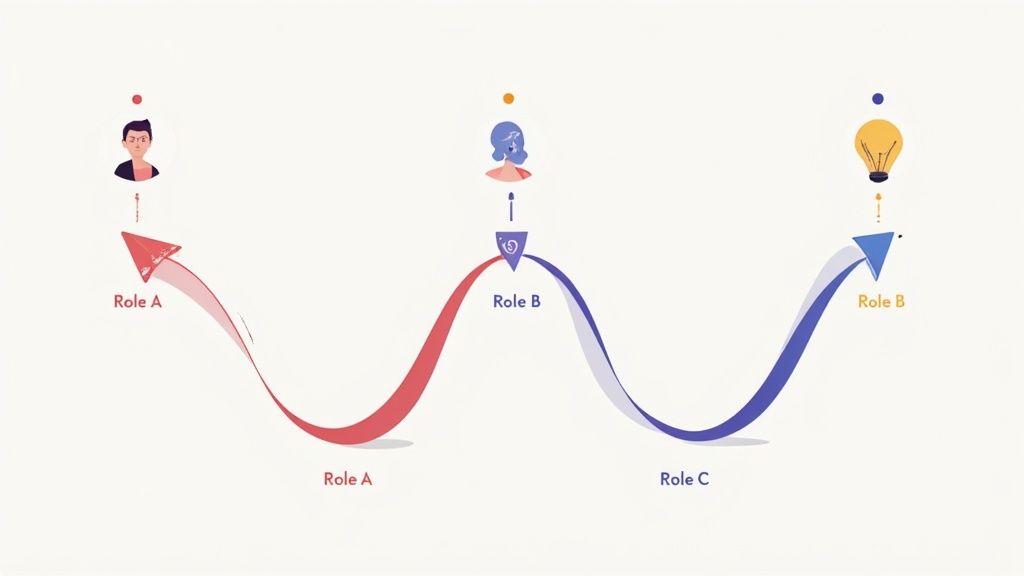
How to Create Personalized Paths
Start by figuring out the best way to group your clients. You can create different welcome plans for each group to make sure the information is relevant.
- Segment by Service Type: An accounting firm in San Benito County might have a different onboarding plan for tax prep clients versus ongoing bookkeeping clients. The bookkeeping plan would include more details on monthly reporting.
- Segment by Client Type: A large commercial client in Monterey has different needs than a small local retailer. The commercial plan could focus on team collaboration tools, while the retail plan focuses on getting quick results.
- Segment by Communication Preference: Some clients want a daily update, while others prefer one email at the end of the week. Ask them what they prefer and put them in the right communication plan.
- Use a Simple Questionnaire: A short form can ask clients about their biggest goals and how often they want updates. This helps you automatically place them on the right path.
Key Insight: Personalization shows you see your client as a person, not just a project. A tailored welcome plan addresses their specific worries and goals, building a stronger foundation of trust.
5. Offer Multi-Channel Onboarding Support
Your clients in Monterey County use many different ways to communicate, and your onboarding should too. Only using email means you might miss clients who prefer texts. Offering multi-channel support means you provide helpful information on different platforms, so clients can use what’s most comfortable for them.
For a busy business owner in Santa Cruz, getting a quick update by text is easier than searching for an email. By meeting them on their favorite channel, you show you are flexible and care about their convenience. This is a key part of modern customer onboarding best practices because it builds a good relationship and makes sure important information is seen.
How to Implement Multi-Channel Support
Choose channels that your clients use often. The goal is to be easy to reach without being annoying.
- Automated Email & SMS Sequences: Use email for detailed information like the welcome kit. Use text messages for short, timely updates, like "Your monthly report is ready!"
- A Dedicated Client Portal: For big projects, a client portal can keep all documents, reports, and messages in one safe place. This is great for a long-term project with a business in Pacific Grove.
- Scheduled Video Check-ins: Offer weekly 15-minute video calls to review progress and answer questions face-to-face. This personal touch builds a lot of trust.
- Social Media Updates: For clients active on social media, you can share project progress with their permission. Learn how to leverage different channels by understanding social media engagement metrics.
Key Insight: Multi-channel support is about being in the right place at the right time for your client. It shows you respect their time and communication style, making the whole experience smoother.
6. Success Milestone Celebration and Recognition
Don't wait until the end of the project for your client to feel good about their progress. The best customer onboarding practices include celebrating key steps along the way. This keeps your client in Santa Cruz excited and sure they made the right choice in hiring you.
Celebrating milestones turns a long project into a series of small, rewarding wins. For a business in Monterey County, this keeps clients feeling happy and involved. It shows them the value you are providing at every stage.
How to Implement Milestone Celebrations
Turning project steps into celebrated moments is easy. The goal is to make the client feel like a partner in success.
- Define and Share Milestones Upfront: During your first meeting, identify key project phases. For a marketing campaign in Gilroy, this could be "Campaign Launched," "First 100 Leads Generated," and "Positive ROI Achieved." List these in your welcome kit.
- Create Simple Celebration Rituals: A celebration can be simple. A quick email saying, "Great news! Your new ads are live and already getting clicks," can be very effective. A web designer in Salinas might send a short video showing the new homepage for the first time.
- Tie Milestones to Client Value: Explain what each milestone means for the client’s business. Instead of "SEO Audit Complete," try "We've found 10 key opportunities to get you more traffic!"
- Ask for Feedback at Key Points: Use these positive moments to get input. Asking for a quick review after a big step is a great way of harnessing customer feedback for business growth.
- Acknowledge the Final Milestone: The end of the project is the biggest milestone. A nice thank you note or a final meeting to celebrate the results leaves a lasting good impression.
Key Insight: Celebrating milestones keeps clients happy and shows the value of your work. It turns the customer journey into an exciting team effort, which is a sign of great customer onboarding practices.
7. Proactive Communication and Check-in Sequences
Leaving a client in silence after a project starts is a bad idea. One of the most important customer onboarding best practices is to have a system of proactive communication. Instead of waiting for a client in Santa Cruz to call with a problem, you reach out at key times to give updates and get feedback. This makes you a trusted partner, not just a service provider.
A regular check-in plan shows you are managing the project well. For a business owner in Monterey County, this proactive contact stops small worries from becoming big problems. It shows you care about their experience.
How to Implement Proactive Check-ins
A great check-in plan uses automation to be efficient and a personal touch to build relationships. It should feel helpful, not annoying.
- Schedule Key Milestone Check-ins: Identify important points in your project. A marketing agency in Salinas could schedule an automated email after the first month to share a progress report and a personal call to discuss the results.
- Use a Multi-Channel Approach: Don’t just use email. Combine automated text messages with a scheduled weekly phone call from the project manager to discuss progress.
- Provide Value with Each Touchpoint: Every message should have a purpose. A business consultant in Gilroy could send a quick article related to the client’s goals or a reminder about an upcoming meeting.
- Train Your Team to Be Consultative: Your team should ask good questions during check-ins, such as, "How are you feeling about the progress so far?" or "Do you have any questions about next week's plan?"
Key Insight: Proactive communication means you control the story. By reaching out with regular, helpful updates, you build trust and manage how the client feels about the project.
8. Measure and Optimize with Data-Driven Onboarding
The best customer onboarding practices are not set in stone; they get better over time. A data-driven approach helps you measure, analyze, and improve your process. For a business in Santa Cruz County, this means knowing which parts of your welcome experience make clients happy and which parts cause problems.
By tracking key numbers, you can find ways to improve. Maybe your welcome emails aren't being opened, or clients can't find the link to your portal. Data shows you these problems so you can make changes that improve client happiness across Monterey County.
How to Implement Data-Driven Optimization
You don't need a lot of tools to start. Begin by tracking simple actions that show a client is engaged.
- Define Your 'North Star' Metrics: Identify the key actions that lead to a successful project. For a marketing agency in Gilroy, this might be the client logging into their results dashboard for the first time.
- Track Critical Onboarding Actions: Use your CRM (Customer Relationship Management) software to see if clients are opening your welcome email or clicking the links inside. Are they completing the first steps you sent them?
- Gather Qualitative Feedback: Combine numbers with real feedback. Send a simple one-question survey after the first week: "On a scale of 1-10, how clear has our communication been?" This feedback from a business owner in Salinas provides helpful context.
- Run Simple A/B Tests: You can test small changes. For example, try two different subject lines for your welcome email to see which one gets more opens.
- Schedule Regular Reviews: Set aside time each quarter to review your onboarding data. Look for trends that can help you improve.
Key Insight: Onboarding isn't a "set it and forget it" task. By measuring what works, you can build one of the most effective customer onboarding best practices: a system that always gets better, leading to happier clients.
9. Foster Community Integration and Peer Connection
Don't let your new client in Santa Cruz feel alone. Connecting new customers with other happy clients is a powerful customer onboarding practice because it builds loyalty. This creates a network of support and proof that they made the right choice to hire you.
By creating these connections, you turn a service into a shared experience. This feeling of community builds trust faster and encourages clients to learn from each other. This strengthens your brand's reputation throughout Monterey County.
How to Build a Client Community
Your community can be a private social media group or a referral club. The goal is to create a place where clients can share ideas and celebrate their success.
- Create a Private Facebook or LinkedIn Group: Invite only your past and present clients. A business coach in Salinas could use this group to share weekly tips and encourage members to share their wins.
- Host Annual Client Appreciation Events: A local marketing agency could host a networking event at a brewery in Watsonville, giving clients a chance to meet and share ideas.
- Launch a 'Client Spotlight' Feature: With permission, feature a client's success story on your blog or social media. This makes them feel valued and shows potential clients the real-world results you deliver.
- Establish a Referral Ambassador Program: Reward clients who help new customers. A consultant in Hollister might offer a bonus to a past client who talks to a new client about their positive experience. This is also a great way to improve your online reputation management efforts.
Key Insight: A client community turns customers into fans. By connecting them, you build a powerful network of trust and word-of-mouth marketing that is hard for competitors to copy.
Customer Onboarding Best Practices Comparison
| Onboarding Method | Implementation Complexity 🔄 | Resource Requirements ⚡ | Expected Outcomes 📊 | Ideal Use Cases 💡 | Key Advantages ⭐ |
|---|---|---|---|---|---|
| Progressive Disclosure and Gradual Feature Introduction | High – requires tracking, automation, adaptive flows | Medium to High – needs behavior data and automation tools | Improved engagement, reduced cognitive overload, increased feature adoption | Products with complex features needing phased learning | Reduces overload, builds confidence incrementally |
| Interactive Product Tours with Contextual Guidance | Medium – overlay and guided step setup | Medium – UI development & content creation | Higher feature adoption, faster learning, real-time help | Apps needing hands-on learning and feature discovery | In-app learning, personalized, immediate guidance |
| Time-to-Value Optimization | Medium – process streamlining, fast-track options | Low to Medium – focus on key flows and templates | Faster user success, improved early retention, reduced churn | Products where quick wins drive retention | Accelerates first value delivery, improves momentum |
| Personalized Onboarding Paths | High – user data collection, segmentation, dynamic flows | High – requires data infrastructure and maintenance | Better engagement, conversion, and retention via relevance | Diverse user roles, industries, and use cases | Customized experiences, faster value realization |
| Multi-Channel Onboarding Support | High – coordination across platforms and teams | High – needs content creation & cross-channel tools | Enhanced user support, accommodates preferences, multi-touch engagement | Complex ecosystems with varied user preferences | Multi-format support, re-engagement opportunities |
| Success Milestone Celebration and Recognition | Medium – milestone definition and celebration mechanics | Medium – messaging, UI elements, rewards system | Increased motivation, engagement, and emotional connection | Products benefiting from gamification and engagement | Encourages progress, boosts confidence and usage |
| Proactive Communication and Check-in Sequences | Medium to High – timing automation & human touch blending | High – requires coordination and support teams | Reduced churn, improved support, strong customer relationships | Enterprise or high-touch SaaS with complex onboarding | Prevents drop-off, personalizes support |
| Data-Driven Onboarding Optimization | High – analytics setup, A/B testing, data integration | High – analytics, experimentation resources | Continuous onboarding improvement based on data | Data-centric organizations focused on optimization | Objective insights, identifies bottlenecks |
| Community Integration and Peer Connection | Medium to High – community building and moderation | Medium to High – community management resources | Enhanced engagement, peer support, network effects | Social products or platforms with active user bases | Builds network effects, reduces support load |
Turn Great Work into a Great Reputation
Learning about customer onboarding best practices might seem complicated, but the main idea is simple: turn a one-time sale into a long-term relationship. For businesses in Monterey County, from the farms of Salinas to the shops in Santa Cruz, your reputation is built one client at a time. These tips are practical steps to make every client feel valued, informed, and happy they hired you.
Getting this process right is what makes a business great. It’s about more than just the final result. It’s about the journey. By using a structured onboarding system, you are creating a better customer experience and setting yourself up for more business and great referrals.
From Best Practices to Business Growth
Think of each practice as a tool. A personalized onboarding path shows a client in Gilroy you understand their business, while proactive communication keeps a business owner in Carmel-by-the-Sea feeling confident. Celebrating success milestones builds positive energy throughout a project.
Here are the most important takeaways:
- Set Clear Expectations Immediately: Your welcome plan is your best chance to explain timelines, communication, and key goals. This one step prevents most future problems.
- Communicate Proactively, Not Reactively: Don't wait for a client to call with a question. Regular check-ins and updates show you are a professional and build trust.
- Systematize Your Process: Using a simple checklist or a client portal makes your process consistent. Every customer gets the same great experience, protecting your brand's reputation.
In the end, a great onboarding process is your best marketing tool. It turns a happy customer into a fan who leaves five-star reviews and tells their friends about you. In the close-knit communities of the Monterey Bay Area, word-of-mouth is everything. By investing in these customer onboarding best practices, you are building a stronger business that will succeed for years to come.
By Phil Fisk, CEO, Core6 Marketing
Phil Fisk is the founder of Core6 Marketing, a digital marketing agency based in Salinas, CA. With over 15 years of experience, he helps local businesses in the Monterey Bay Area improve their online presence and achieve measurable growth through effective SEO, advertising, and client management strategies.
Core6 Marketing
1628 N. Main St #263, Salinas, CA 93906
831-789-9320
[email protected]
https://core6.marketing/
Ready to build a client onboarding process that boosts your reputation and grows your business? The team at Core6 Marketing helps Monterey Bay businesses like yours use digital tools and marketing strategies to turn great service into a major advantage. Schedule your free consultation with us today to see how we can help you improve your customer experience and attract more great clients.