If you're a business owner in the Monterey Bay Area, you know every website visitor is a potential customer. But what happens when they land on your site and leave almost immediately? That's a high bounce rate, and it’s more than just a technical metric; it's a lost opportunity to connect with someone from Salinas or Santa Cruz.
Learning how to decrease bounce rate starts with understanding the common culprits: slow pages, confusing design, or content that completely misses the mark for our local audience. By focusing on the user experience, you can keep more visitors on your site and turn them into valuable leads.
Why Are My Website Visitors Leaving So Quickly?
When a potential client from Hollister or Gilroy lands on your website, you have mere seconds to make a good impression. A high bounce rate means something in that first impression went wrong, causing them to hit the "back" button without a second thought.
It's the digital equivalent of a customer walking into your shop, glancing around for a moment, and leaving without saying a word.
To figure out what’s causing these quick exits, you need to get comfortable with your website analytics. A deep dive into Google Analytics is a great starting point. If you're new to the platform, understanding Google Analytics is essential. But raw data is just one piece of the puzzle—interpreting it for our local market is what truly matters. For example, are visitors from a specific marketing campaign bouncing more often? That could point to a disconnect between your ad copy and what's actually on your landing page.
To help you start diagnosing the issue, here's a quick-reference table.
Common Bounce Rate Culprits and Quick Fixes
Use this table as a quick diagnostic tool to understand why visitors might be bouncing from your Monterey Bay business website and the first step to take.
| Problem Area | Why It Increases Bounce Rate | First Step to Fix It |
|---|---|---|
| Slow Page Speed | Visitors are impatient. If your page takes more than 3 seconds to load, many will just leave. | Run a speed test using Google's PageSpeed Insights and address the top recommendations. |
| Bad Mobile Design | Your site looks great on a desktop but is a jumbled mess on a phone. It's unusable. | Open your website on your own phone. Try to find your contact info or request a quote. Is it easy? |
| Confusing Menus | They can't find what they're looking for. A cluttered or illogical menu is a recipe for frustration. | Ask a friend who's unfamiliar with your site to find a specific service. Watch where they struggle. |
| Content Mismatch | The page content doesn't match what they thought they were clicking on. | Review the search terms driving traffic to that page. Does the content directly answer their query? |
This is just a starting point, but it covers the most common issues we see with businesses throughout Monterey County.
The Most Common Reasons We See for a High Bounce Rate
Let's break down the most frequent issues in a bit more detail.
-
Slow Page Load Speed: In an age of instant gratification, every second counts. We've seen that even a three-second delay can cause a huge chunk of your visitors to give up and leave.
-
Poor Mobile Experience: With so many locals browsing on their phones—whether they're in their living room in Seaside or on a job site in Watsonville—a site that isn't optimized for mobile is a major liability. If your site is hard to use on a small screen, you’re losing business. Period.
-
Confusing Navigation: Visitors should be able to find what they need intuitively. A cluttered, disorganized, or illogical menu structure will only frustrate them and send them straight to a competitor's website.
-
Content Mismatch: This is a big one. Does the content on your page actually align with what the user was searching for? If someone searches for "emergency plumbing in Santa Cruz" and lands on your generic "About Us" page, they're going to bounce.
This infographic really drives home how critical page load speed is for keeping visitors on your site.
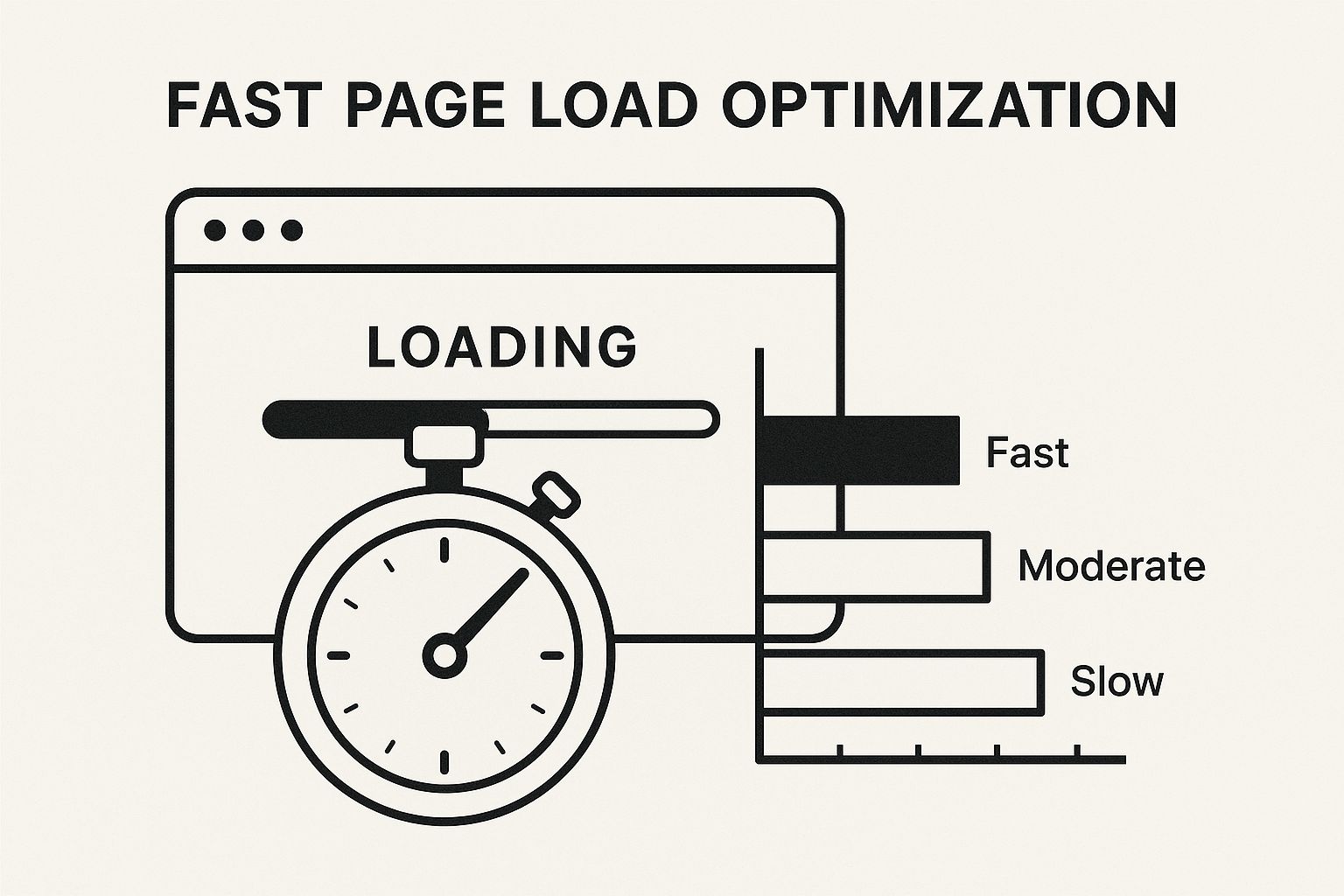
As the visual shows, the longer a visitor has to wait, the higher the probability they'll leave. For contractors, a slow website has a direct and negative impact on your bottom line.
Addressing these core user experience issues is a foundational step in any effective marketing strategy. It's especially critical for SEO for home service contractors, because search engines like Google actively reward sites that provide a better user experience. By identifying and fixing these problems, you can start turning those quick exits into meaningful leads.
Master First Impressions with Lightning-Fast Page Speed
Imagine a potential customer looking for your services in Carmel-by-the-Sea. They click on your site, and… wait. And wait. That's a guaranteed bounce. Today's customers, whether they're in Hollister or right here in Monterey, expect instant results. A slow website is like getting stuck in tourist traffic on Highway 1—frustrating, and a sure way to lose a customer before you even say hello.

That first impression is formed in seconds, and your page speed is the digital handshake you offer every visitor. If your page takes longer than three seconds to appear, a huge chunk of your potential clients will simply hit the back button. This isn't just a missed opportunity; it’s a direct hit to your marketing budget.
When you're learning how to decrease bounce rate, you have to understand the real-world cost of a slow site. Recent data shows a painful link between rising bounce rates and declining business. As bounce rates increased globally, conversion rates fell by 6.1%. At the same time, the cost to get each visitor to your site went up by 9%.
The reality is harsh: a slow website doesn't just annoy people. It makes your marketing more expensive and less effective.
Audit Your Website's Current Speed
Before you can fix anything, you need to know where you stand. You don’t have to be a web developer to check your site's performance. Free tools like Google's PageSpeed Insights give you a clear report card.
Just plug in your website's URL, and the tool will analyze its speed on both mobile and desktop. It spits out an overall performance score and, more importantly, a list of specific, actionable things you can do to speed things up. Think of it as your optimization roadmap.
Pro Tip: When you run the test, pay close attention to the "Largest Contentful Paint" (LCP) metric. LCP measures how long it takes for the biggest thing on your page—usually an image or text block—to show up. For a good user experience, this should happen in under 2.5 seconds.
Practical Ways to Increase Your Site Speed
Once you have your speed report, it’s time to get to work. Many of the most effective fixes don't require deep technical knowledge. For businesses in Monterey County, focusing on these areas can deliver big results, fast.
- Compress Your Images: Large, unoptimized photos are the number one cause of slow websites. I see it all the time. Before you upload any photo—whether it's for a project gallery or a team picture—run it through a free tool like TinyPNG. It can shrink the file size by over 70% without any noticeable drop in quality.
- Leverage Browser Caching: Caching is like your website leaving a few files behind on a visitor's computer after their first visit. When they come back, their browser loads those files locally instead of re-downloading them, making the site feel much faster. Most website platforms, like WordPress, have plugins like WP Rocket that handle this for you with just a few clicks.
- Choose the Right Hosting: Not all web hosting is created equal. If your business is in Salinas but your website's server is on the other side of the country, that physical distance adds precious milliseconds to your load time. I always recommend a hosting provider with servers located closer to your customer base to ensure faster delivery for your local clients.
These foundational speed improvements are especially vital for businesses that rely on strong visuals, like contractors showcasing their work. For instance, our guide on digital marketing for home remodeling and renovation digs into the power of high-quality project galleries. But those galleries are only effective if they load quickly. By optimizing your site's speed, you ensure your impressive portfolio actually helps keep visitors engaged, rather than driving them away.
Design an Experience That Invites Exploration
A great website doesn't just throw information at people; it guides them on a journey. If your site’s navigation is a confusing mess or the design looks like it's from a decade ago, potential customers from Pacific Grove to Watsonville will hit the back button before they even see what you offer. Let's talk about creating an intuitive user experience (UX) that feels natural, keeps visitors clicking, and ultimately convinces them you're the right pro for the job.
Honestly, when we dig into how to decrease bounce rate, what we're really doing is making your website a more welcoming and helpful place. The goal is to get someone to stick around, explore a little, and engage with more than just the first page they land on. When they do that, they’re worlds more likely to become a paying customer.
Build for the Mobile-First Reality
Here in the Monterey Bay Area, your customers are always on the go. They could be looking you up from a coffee shop in Santa Cruz, a job site in Salinas, or even while waiting in line at the grocery store. A website that isn't built for a phone is basically hanging a "Closed" sign for most of your modern customers.
A mobile-first design means your site isn’t just functional on a phone; it’s excellent. Buttons have to be big enough to tap with a thumb, text needs to be readable without pinching and zooming, and your menu must be simple to navigate. Anything less is a guaranteed recipe for a high bounce rate.
Local Insight: Picture this: a tourist's rental in Carmel-by-the-Sea has a plumbing emergency, or a homeowner in Gilroy needs a roofer after a big storm. They are absolutely searching on their phones. If your site is a pain to use, they'll immediately find a competitor whose site just works.
Structure Your Site with Clear Pathways
Confusing navigation is a silent business killer. If a visitor can't figure out where your services, project gallery, or contact page are within seconds, they'll just assume you can't help them and leave. Think of a logical site structure as a clear, easy-to-read map for your users.
Your main navigation menu should be dead simple and focused on what your customers care about most:
- Services: Be specific about what you do. Instead of a single "Services" link, consider dropdowns for "Plumbing," "HVAC," and "Electrical."
- About Us: Tell your story and build that local trust. This is your chance to connect with the community.
- Project Gallery: Show, don't just tell. For home service contractors, this is non-negotiable.
- Blog/Resources: Prove your expertise and answer the questions you get all the time.
- Contact Us: Make this impossible to miss. Your phone number and a simple form should be front and center.
Following established web design best practices is the foundation for a site that actually keeps people around. A predictable, user-friendly structure is one of your best weapons against high bounce rates.
Weave a Web of Internal Links
One of the most powerful—and most overlooked—tactics for crushing your bounce rate is internal linking. It’s just the simple practice of linking from one page on your website to another relevant page on your own site. This creates natural pathways that encourage visitors to keep digging deeper.
For instance, a San Benito County roofer could write a blog post on "5 Signs You Need a New Roof." Inside that article, they absolutely should link directly to their "Roof Replacement Services" page. That simple, contextual link gives an interested reader a clear next step.
The data backs this up, too. Websites with the lowest bounce rates see visitors view an average of 7 to 8 pages per session. In stark contrast, sites with the highest bounce rates only get users to look at 1 or 2 pages. That stat alone shows how critical it is to build a site that invites exploration beyond the landing page. By turning your site from a flat brochure into an interconnected resource, you give visitors more reasons to stay, learn, and ultimately, pick up the phone.
Create Content That Answers Your Customer's Questions
Even the fastest, most beautiful website will fail if the content doesn't give visitors what they came for. A high bounce rate often comes down to one simple thing: your website isn't delivering the value a potential customer from Gilroy or Marina was hoping to find. To learn how to decrease bounce rate, you have to get good at creating content that directly answers their questions.
This means getting inside the head of your ideal customer. What are they really looking for when they land on your site? We call this search intent, and it’s the key to making your content stick. It's about providing the right answer, in the right format, right when they need it.
Ultimately, lowering your bounce rate means you must master creating SEO content for website success, ensuring every single page directly addresses a user's specific need.
Write Headlines That Make a Local Promise
Your headline is the very first thing a visitor reads. It needs to immediately confirm they’ve landed in the right spot. A generic headline like "Our Services" is okay, but a specific one like "Emergency HVAC Repair in Santa Cruz County" is way more powerful.
This is your first and best chance to build trust and show you understand their specific problem. Be clear, be direct, and use your location to your advantage. A homeowner in Hollister is much more likely to stay on a page that explicitly mentions their city than one that speaks to a general audience.
Here are a few headline formulas that I’ve seen work wonders for local service businesses:
- Problem + Solution + Location: "Fix Your Leaky Faucet Fast: 24/7 Plumbing in Salinas"
- Benefit + Service + Location: "Get a Safer Roof Today: Expert Roof Inspections in Monterey"
- Question + Answer: "Need a New HVAC System? We're Gilroy's Trusted Installers"
Craft Engaging and Scannable Content
Once your headline convinces them to stick around, the body of your content has to hold their attention. Let's be honest—web visitors rarely read every single word. They scan. They hunt for the specific piece of information they need, and your job is to make it easy for them.
Break up those long blocks of text. Use short paragraphs, often just one or two sentences. White space is your friend; it makes your content feel less intimidating and much easier to digest. This simple change can make a massive difference in keeping people on the page.
A visitor who is overwhelmed by a wall of text is a visitor who is about to bounce. Your job is to make information easy to find, not to write a novel. The clearer and more scannable your content, the longer they'll stick around to read it.
To pull this off, use a mix of formatting to guide the reader’s eye. This includes:
- Subheadings (H3s): Break down your topic into smaller, logical sections.
- Bulleted Lists: Perfect for listing out benefits, services, or key features.
- Numbered Lists: Ideal for walking someone through a step-by-step process.
- Bold Text: Use it strategically to highlight key terms, statistics, or important takeaways.
Answer Questions Before They're Even Asked
Think about the common questions you get from customers over the phone. These are pure gold for your website content. By creating dedicated sections or even entire blog posts that answer these questions, you demonstrate your expertise and build immediate trust.
For example, a general contractor in Monterey County could create content around the local permitting process, seasonal maintenance tips for coastal homes, or material recommendations that stand up to our unique fog and sun. This type of helpful, location-specific content positions you as the undisputed go-to expert. For a deeper dive on this, check out our guide on how to generate leads for home builders and general contractors.
When you turn your website into a valuable resource, you give visitors a powerful reason to stay, explore, and ultimately, hire you.
Use Strong Calls to Action to Drive Engagement
It's a frustratingly common scenario: a potential customer lands on your site, loves what they see… and then leaves without a trace. What happened? More often than not, you never told them what to do next.
A weak or missing Call to Action (CTA) is a surprisingly common culprit behind a high bounce rate. You're essentially leaving an open door for visitors to wander right back out. Learning how to decrease bounce rate often comes down to giving users a clear, compelling next step. This is how you turn a passive browser from Monterey into a genuine lead for your business. It's about much more than a generic "Contact Us" button; it's about making the next step obvious and irresistible.
Make Your CTAs Specific and Action-Oriented
Vague instructions almost always lead to inaction. Your CTAs need to be crystal clear, using action words that tell the visitor exactly what they'll get when they click. Stop thinking like a marketer and start thinking like your customer in Salinas who has an urgent problem that needs solving right now.
A generic "Learn More" is weak. A specific "Get My Free Roofing Estimate" is powerful. The second CTA speaks directly to the user's immediate need, sets a clear expectation, and moves them down the path to becoming a paying client.
Here are a few locally-focused examples that actually work:
- For a plumber: "Schedule Your Salinas Plumbing Service"
- For an electrician: "Request a Quote for Your Santa Cruz Project"
- For an HVAC tech: "Book Your Monterey County AC Tune-Up"
These CTAs are direct, location-specific, and use verbs that encourage immediate action. They leave zero room for confusion.
Design and Placement Are Everything
The most persuasive copy in the world won't work if your CTA button is buried or just blends into the background. Your call to action has to stand out visually. This is a core principle we emphasize when discussing reputation management for home services, as a clear path to contact you is vital for capturing positive engagement.
Use a contrasting color for your CTA button that grabs the eye but still fits your brand's palette. Make sure the button is large enough to be easily tapped on a phone—a critical detail for customers who are likely searching for you while on the go.
Don't make visitors hunt for the next step. A prominent CTA button placed "above the fold" (the part of the screen they see without scrolling) and repeated at the bottom ensures they always know what to do next.
Align CTAs with Visitor Intent and Industry Norms
It's also crucial to recognize that user expectations vary by industry. A visitor looking for a contractor has a completely different mindset than someone shopping for clothes online. Understanding these nuances helps you tailor your entire website experience, especially your CTAs.
For example, e-commerce sites typically see bounce rates between 36% and 47%, while verticals like automotive can have rates closer to 51.96%. This data on industry benchmarks shows that industries with more complex decision-making processes, like home services, often require more deliberate guidance from you.
For a high-consideration service in Santa Cruz County, your main CTA probably shouldn't be "Buy Now." Instead, focus on a lower-commitment action that builds trust and starts a conversation.
Consider these "softer" CTAs to engage visitors who aren't quite ready to pull the trigger:
- Download Our Free Guide to Kitchen Remodeling
- Watch Our Project Showcase Video
- See Examples of Our Work in Your Neighborhood
By providing these valuable, low-friction options, you keep visitors on your site longer, engage them with useful content, and nurture them until they are ready to click "Get a Quote." This thoughtful approach turns your website from a simple brochure into a powerful tool for guiding customers from initial interest to a signed contract.
A Few Common Questions We Hear About Bounce Rate
We’ve dug into a lot of tactics for lowering your bounce rate, from speeding up your site to making your content more compelling. But if you're a business owner here in the Monterey Bay Area, you might still have a few specific questions. This section is designed to give you quick, practical answers to what we hear most often.
Let's jump into the common questions we get from local business owners just like you, whether you're in the agricultural heart of Salinas or the coastal towns of Santa Cruz.
What Is a Good Bounce Rate for My Local Business Website?
This is easily the number one question we're asked, and the truth is, there's no single magic number. For most home service businesses—think a plumber in Gilroy or an electrician in Monterey—a bounce rate between 40% and 60% is perfectly normal. It shows that a healthy chunk of your visitors are sticking around to learn more.
If your bounce rate is consistently dipping below 40%, you’re doing something right. That means you’re nailing the connection between what visitors expect and what your website delivers. On the flip side, if your numbers are creeping above 70%, it’s a clear sign you have some work to do. This usually points to issues with page speed, mobile usability, or a disconnect between your ads and your landing page.
Key Takeaway: Stop chasing an impossible 0% bounce rate. Instead, aim for a steady number under 60% and focus on making small, consistent improvements. A high bounce rate isn't a failure; it's a road sign pointing you where to focus next.
How Can I Track My Bounce Rate for Free?
You absolutely don’t need to shell out cash for expensive software to keep an eye on this. Google Analytics 4 (GA4) is the go-to tool for a reason—it’s powerful, comprehensive, and completely free. Getting it set up is your first real step toward making decisions based on data, not just gut feelings.
Once you have it installed and it's had a little time to collect data, here’s the straightforward way to find your bounce rate:
- Log into your Google Analytics account.
- Head to the Reports section in the left-hand menu.
- Go to Acquisition > Traffic acquisition. This is where you see how people are finding you.
- Bounce rate might not be there by default. Just click the pencil icon (Customize report) in the top-right corner.
- Select Metrics, then click Add metric. Start typing "Bounce rate" and pick it from the list.
- Click Apply. Boom. Now you can see the bounce rate for every traffic source, like organic search, paid ads, or social media.
This simple report lets you see if, for example, visitors from a Facebook ad campaign in Santa Cruz County are bouncing more than people finding you through a Google search in San Benito County. It helps you pinpoint exactly where the leak is.
How Long Does It Take to See a Lower Bounce Rate?
This is where a little patience goes a long way. The timeline for seeing a change really depends on what you've fixed.
Here’s a realistic breakdown of what to expect:
- Technical Fixes (Fast Impact): Things like optimizing your images, enabling browser caching, or upgrading your hosting can improve page speed almost instantly. You can often see a drop in your bounce rate within 24-48 hours as Google Analytics starts processing the new, improved user behavior.
- Content and UX Changes (Weeks to Months): Bigger adjustments to your site’s design, navigation, calls to action, or content quality take more time to show a clear trend. You need to let enough new visitor data roll in to see a statistically significant change. I usually recommend waiting at least 3-4 weeks before you start drawing any firm conclusions.
It’s all about continuous testing and refining. The businesses that win are the ones that consistently watch their analytics and keep making improvements. If you're not sure where to start, getting a professional to take a look can give you a clear roadmap. For a deep dive, a home services website SEO audit can uncover your biggest opportunities for not only cutting your bounce rate but also boosting conversions.
Remember, every single percentage point you shave off your bounce rate means more potential customers are sticking around, learning about what you do, and taking that crucial next step to get in touch.
Ready to turn more of your website visitors into qualified leads? The team at Core6 Marketing builds websites that not only look great but are engineered to keep potential customers engaged.
Schedule a free, no-obligation consultation with our team today.
By Phil Fisk, CEO, Core6 Marketing
Phil Fisk is the founder and CEO of Core6 Marketing, a digital marketing agency based in Salinas, CA. With over a decade of experience helping home service contractors grow their businesses, Phil is passionate about using data-driven strategies to deliver measurable results for clients across the Monterey Bay Area.
Core6 Marketing
1628 N. Main St #263, Salinas, CA 93906
831-789-9320
[email protected]
https://core6.marketing/
Social Caption: Is a high bounce rate hurting your Monterey Bay business? Our latest guide breaks down actionable FAQs on how to fix it and turn visitors into leads. #BounceRate #SEO #MontereyBay