
Spending money on Google Ads without knowing which clicks turn into customers is like fishing in Monterey Bay with no bait. You're spending time and energy, but you won't catch much.
Google Ads conversion tracking is the essential tool that shows you what's working. It connects the dots between someone in Salinas clicking your ad and that same person calling your office or filling out a form on your website. This guide will show you how to set it up and why it's a must for any local business.
Why Tracking Is a Must for Your Monterey Bay Business
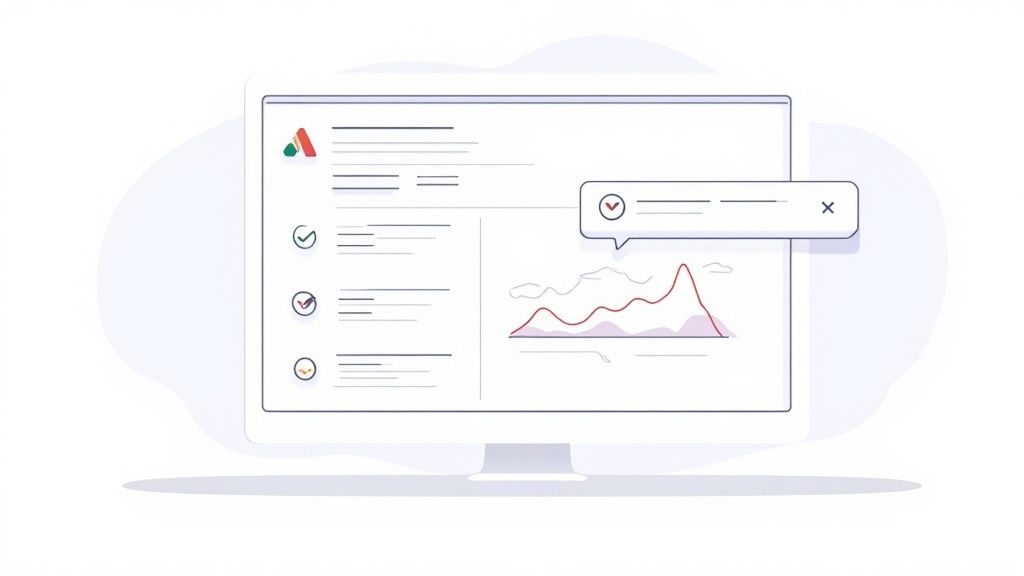
Imagine you run two different ad campaigns. One targets homeowners in Santa Cruz who need a new roof. The other is for businesses in Gilroy needing commercial paving. Without conversion tracking, you see clicks, but you don't know which campaign is actually making your phone ring.
You're just guessing where to put your marketing dollars. This is a common trap for businesses in Monterey County. They treat their ad budget like a gamble instead of a smart investment.
Finally See Your True Return on Investment
The biggest benefit of setting up Google Ads conversion tracking is getting a clear view of your Return on Investment (ROI). ROI is a measure of how much profit you make from your advertising. It helps you stop asking, "Are my ads getting clicks?" and start answering, "Are my ads making me money?"
Once you track conversions, you can put a real dollar value on each lead. For example, you might know that for every five contact forms you get, one becomes a $2,000 job. Simple math shows each form submission is worth $400 to your business.
By connecting your ad spend to actions that make you money, you can see which campaigns are profitable and which are just burning cash. This smart approach is what helps local businesses grow.
With this information, you can make better decisions. If your Gilroy commercial campaign brings in leads for $50 each, but your Santa Cruz residential campaign costs $300 per lead, you know where to shift your budget for better results.
Stop Wasting Money and Start Improving
If you don't have data, you can't improve your ads. It's that simple. Conversion tracking gives you the feedback you need to make your campaigns better over time.
You’ll start seeing important details, like:
- Which keywords drive action: You might find "emergency plumber in Monterey" converts three times better than "plumbing services."
- Which ad text gets people to act: Testing different headlines is more useful when you can see which one gets more form submissions.
- What times of day are most profitable: Maybe you find your best leads come in between 7 AM and 10 AM. You can adjust your ad schedule to spend your budget then.
To succeed with Google Ads PPC campaigns, conversion tracking is key. It’s not just a fancy feature; it’s the engine that powers a successful ad strategy.
For a deeper look at the basics, check out our guide on what conversion tracking is and why it's a game-changer. It’s the first step to making every ad dollar count for your business here in the Monterey Bay area.
Creating Your First Conversion Action in Google Ads
Let's move from "why" to "how." Setting up your first conversion action in Google Ads isn't as technical as it sounds. It’s the most important step in making your campaigns profitable.
This is about telling Google what a "win" looks like for your business.
We’ll focus on actions that matter to a local business in Santa Cruz County, like website form submissions and phone calls from ads. A business owner in Hollister can get this done without needing a developer.
This image shows the basic steps for setting up conversion tracking.
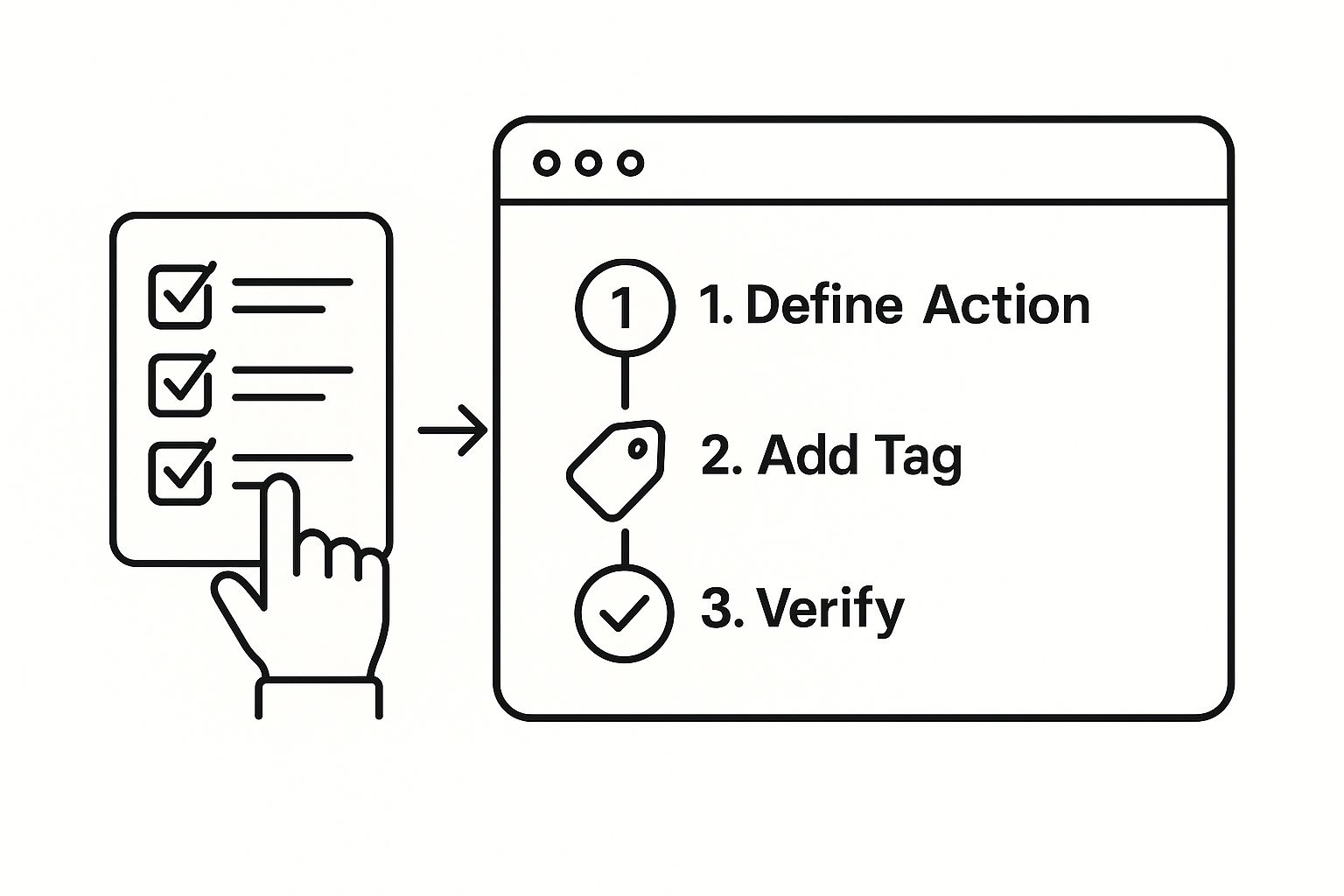
As you can see, you first define a valuable action. Then you add a small piece of code to your site and check that it’s working. This simple process is the foundation for a much smarter ad strategy.
Finding the Conversions Section
First, you need to find the right place in your Google Ads account.
Once you're logged in, look for the wrench icon called "Tools and Settings" in the top menu. A menu will open. Under the "Measurement" column, you’ll see "Conversions." Click that.
If you see a blank screen, don't worry. It just means you haven't created any conversion actions yet. We're about to change that.
Click the blue "+ New conversion action" button to start.
Choosing the Right Conversion Source
Google will ask where your conversions happen. You'll see four main options, but for most local businesses, only two are critical:
- Website: This is for actions on your site, like someone filling out your "Request a Quote" form.
- Phone calls: This tracks calls made from your ads or from a special number on your website.
Let's start with the most common one: Website. Select this option, enter your website's address (like your Salinas company's homepage), and click "Scan."
Setting Up a Website Form Submission
After scanning, choose to "Add a conversion action manually." This gives you more control.
Here’s where you define the action. You’ll fill out a few fields to tell Google what you're tracking.
- Goal and action optimization: Select "Submit lead form" from the list. This tells Google’s system what kind of customer you want.
- Conversion name: Be specific. Instead of "Conversion," call it something like "Contact Form Submission." This clarity helps a lot later.
- Value: If you know what a new lead is worth, enter it here. For now, selecting "Don't use a value for this conversion action" is fine.
- Count: Choose "One." You only want to count the first time a person fills out your form as a conversion, even if they submit it twice.
- Attribution model: Stick with the default "Data-driven." It’s Google's best model for giving credit to the ads a customer clicked before contacting you.
Once you’ve set these, click "Done" and then "Save and continue." Google will then give you the code you need to install on your website. We’ll cover what to do with that code next.
Key Takeaway: The goal here is clarity. By naming your conversions and choosing the right category, you're teaching the Google Ads system what success looks like for your business in San Benito County.
This process is a core part of any good ad campaign. For contractors looking to succeed online, our digital marketing guide for contractors offers more strategies. Good conversion tracking gives you the data you need to make smart marketing decisions.
How to Get Tracking Tags on Your Website
You’ve created your conversion action in Google Ads. Now what? Google gives you a small piece of code, called a tag. This tag needs to be on your website. This is the link that connects your website activity back to your ad campaigns.
This might sound technical, but you have a couple of easy options. For any growing local business, we strongly recommend one method over the other. It is more powerful and flexible.
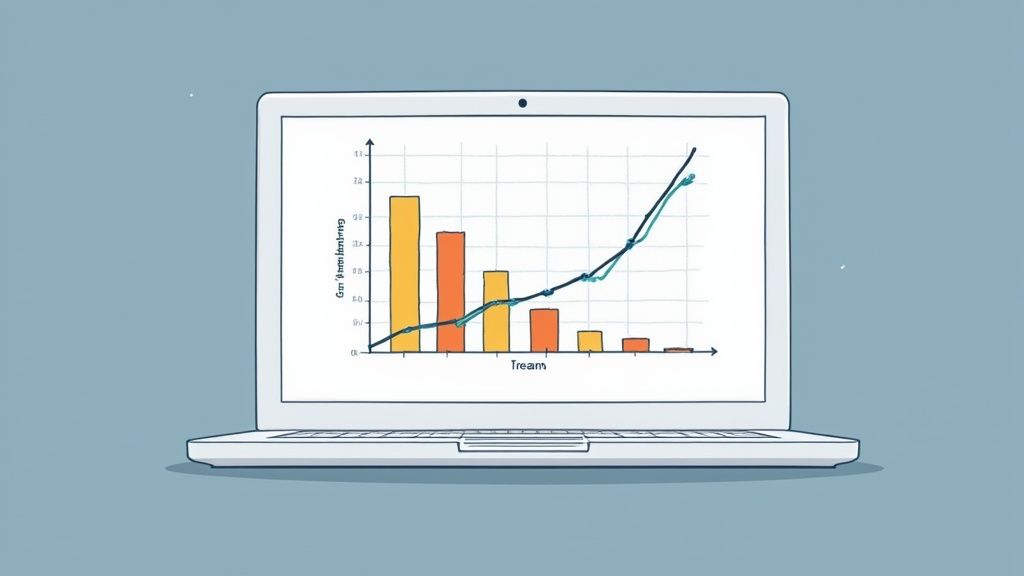
The image above shows the Google Tag Manager (GTM) dashboard. Think of GTM as a toolbox for all the tracking codes on your site. Instead of changing your website's code every time you want to add something, you use this simpler tool.
Comparing Tag Installation Methods
You have two main ways to get the Google Ads tag onto your website. One is fast but can get messy. The other gives you more control and is better for the future.
1. Direct Installation:
This is the old way. You take the code from Google Ads and paste it directly into your website's files. It works, but it can cause problems later. What if you want to add a Facebook Pixel or other tracking? You have to dig into the code every single time.
2. Google Tag Manager (GTM):
This is the modern, recommended way. GTM is a free tool from Google that holds all your tracking tags. You install the main GTM code on your site just once. After that, you can add or change any other tags (like your Google Ads tag) from the GTM dashboard without touching your site's code.
The Two Pieces of Code You'll Use
No matter which method you pick, Google gives you two pieces of code. It's important to know what they are and where they go.
- The Global Site Tag (gtag.js): This is your main tracking code. It needs to be in the
<head>section of every page on your website. This tag is what helps Google identify users who clicked on your ads. - The Event Snippet: This smaller piece of code is the trigger. It tells Google, "A conversion just happened!" It should only be placed on the page a user sees after they complete an action, like your "Thank You" page after they fill out a contact form.
Pro Tip: Never put the event snippet on every page of your site. If you do, Google will count every page view as a conversion. Your data will be wrong, and you won't know which ads are really working.
Imagine you're a plumber in Santa Cruz. The global tag is like putting a sticker with your phone number on every house in a neighborhood. The event snippet is like the phone ringing from the one homeowner who decided to call you.
A Closer Look at Code Placement
If you use WordPress, installing the global site tag is easy. You can use a plugin like "Insert Headers and Footers."
The event snippet for a "Thank You" page is also simple. You just edit that one page and add the code snippet to its content.
Here’s a simple breakdown:
- Copy the Global Site Tag from your Google Ads account.
- Add it to all pages between the
<head>and</head>tags on your site. - Copy the Event Snippet from Google Ads.
- Add it to your conversion page, like the "Thank You" page customers see after submitting a form.
What is Server-Side Tracking?
You might hear the term "server-side tracking." For years, tracking has happened in the user's web browser. The problem is that this is becoming less reliable because of ad blockers and privacy settings.
Server-side tracking is the solution. It sends conversion data from your website's server to Google. This method is more accurate and isn't blocked by most ad blockers.
While it is more advanced to set up, it's the future of reliable tracking. You can read more in this detailed guide on the topic.
Verifying Your Tracking Setup Is Working Correctly
Okay, you've installed your tracking tags. That’s a huge step. But before you celebrate, you need to make sure it's working. Starting a campaign with broken Google Ads conversion tracking is like driving from Pacific Grove to Watsonville with your eyes closed.
Taking a few minutes to check your setup is very important. It ensures your ad budget is measured correctly from the start.
Using Google's Tag Assistant
One of the easiest ways to check your work is with a free tool from Google called Tag Assistant Companion. It's a browser extension for Google Chrome.
Once it's installed, go to your website. Click the Tag Assistant icon in your browser's toolbar and enable it. Now, refresh the page. If your Global Site Tag is installed correctly, it will light up green. This is your first sign that the main tracking code is working.
Performing a Live Test Conversion
Next, you should test the entire process yourself. Act like a customer and complete the conversion action. This is a simple but perfect way to see if everything is connected properly.
Here’s a quick checklist any business owner in Monterey County can use:
- Open a private or "incognito" browser window. This makes sure your test is clean.
- Find your ad on Google and click it. This will cost you one click, but it's worth it for the test.
- Fill out your contact form with test information, like "[email protected]."
- Submit the form and make sure you land on your "Thank You" page where you placed the event snippet.
This simple process copies the exact path a real customer would take. Now, it's time to see if Google saw it.
Checking the Conversion Status in Google Ads
After you send your test form, go back into your Google Ads account. Go to the "Conversions" section (Tools and Settings > Measurement > Conversions).
Find the conversion action you just set up. Look at the "Status" column. At first, it probably said "Unverified."
Within a few hours, the status should change to "Recording conversions." When you see this, you know your tracking is working. Google successfully recorded the test conversion you submitted.
This final check is a required part of the process. Good tracking is the foundation for understanding your campaign's performance. For more on how this data shapes your strategy, read our guide on how marketing analytics and reporting can impact your campaign success.
If the status doesn't change after 24 hours, it's time to troubleshoot. Double-check that your global site tag is on every page and the event snippet is only on your "Thank You" page. A simple copy-paste mistake is the problem 90% of the time.
Using Data to Improve Your Ad Campaigns
With accurate Google Ads conversion tracking in place, you’ve moved from guessing to knowing. This is where you can turn data into profitable decisions that grow your business.
Now you can see exactly which keywords, ads, and audiences bring valuable leads to your business in San Benito County. This is about making simple, smart changes that have a huge impact. You can stop wasting money on ads that only get clicks and spend more on the ones that work.
Identifying Your Winners and Losers
First, look at your Google Ads reports to find what’s working and what isn't. Go to your "Campaigns" view and add the "Conversions" and "Cost per conversion" columns. This simple view tells a powerful story.
You might see one campaign in Santa Cruz is getting leads for $45 each, while another costs $150 per lead. The next step is clear. You can pause the expensive campaign and move that budget to the one that's working better.
This changes your ad budget from an expense into a smart investment. You're no longer just spending money; you're moving it where it gets the best results.
This is the core of data-driven advertising. It’s about making small, steady improvements based on real performance data, not feelings.
Simple Ways to Improve Ads Today
Once you know your top performers, you can make changes to get even more from your ad spend. These are simple tweaks any business owner can do.
Here are a few ideas:
- Review Your Keywords: Look at your keywords report. Are some getting clicks but no conversions? Pause them. On the other hand, keywords with a high conversion rate are your winners. Consider bidding a little more on them to get more of those valuable leads.
- Test Your Ad Copy: Now that you can measure what works, you can test different messages. Run two ads in the same ad group with different headlines. After a few weeks, you'll see which message works best with customers in Monterey County.
- Analyze Your Landing Page: If an ad has a great click-through rate but few conversions, the problem might be your landing page. Good tracking data can help you find ways to improve your website and get more leads, as explained in these strategies to improve website conversion rates.
Letting Google's AI Do the Work
This is where your efforts really pay off. The conversion data you collect helps Google's powerful automated bidding strategies. When you switch a campaign's bid strategy to "Maximize conversions," you let Google's Artificial Intelligence (AI) take over.
It will use your conversion data to automatically adjust bids. The system learns which types of users are most likely to convert and bids more for those valuable clicks.
For example, Google might learn that a person in Salinas searching for "emergency HVAC repair" on a mobile phone at 8 PM is a great lead. This level of fine-tuning is impossible to do by hand.
By giving the system good data, you turn your Google Ads account into a smart lead generation machine. To learn more, check out our guide on how to calculate marketing ROI for your campaigns.
Common Questions About Conversion Tracking
Even with a good plan, questions come up. Here are a few common ones we hear from business owners around Monterey Bay about Google Ads conversion tracking.
How Much Does It Cost to Set Up?
This is the best news: the tools themselves are 100% free. Google Ads, Google Tag Manager, and the Google Tag Assistant extension won’t cost you anything.
The only cost is the time it takes to get it right. It's either your time learning how to do it, or the cost of hiring a pro, like a digital marketing agency in Salinas, to handle it. A good setup from the start ensures your data is accurate, which saves you money by preventing wasted ad spend.
How Long Until I See Conversion Data?
You'll start seeing data almost right away. After you run a test conversion, it can take up to 24 hours for the status in your Google Ads account to change to "Recording conversions." This is normal.
Once it's live, new conversions usually appear in your reports within a few hours. That means you can start making smart decisions for your business in Santa Cruz County without a long wait.
What if My Conversions Aren’t Showing Up?
First, don't panic. This is the most common problem, and the solution is usually simple. Most of the time, it's a small copy-and-paste mistake when the tracking tags were installed.
Troubleshooting 101: Your first step should be to check the "Thank You" page. Make sure the event snippet code is on that page and only that page. Next, double-check that the main global site tag is in the header of every page on your website.
If you’ve checked those things and still have issues, it might be time to ask for help. Getting your tracking right is the foundation of good lead generation. We cover more of this in our guide on lead generation strategies for home services.
By Phil Fisk, CEO, Core6 Marketing
Phil Fisk is the CEO of Core6 Marketing, a digital marketing agency based in Salinas, CA. With over a decade of experience, Phil helps local Monterey Bay Area businesses grow by using data-driven strategies to achieve measurable results and a clear return on investment.
Core6 Marketing
1628 N. Main St #263, Salinas, CA 93906
831-789-9320
[email protected]
https://core6.marketing/
Ready to stop guessing and start measuring what actually drives leads for your business? The team at Core6 Marketing can get your Google Ads conversion tracking set up correctly and optimized to get the most from your ad budget.
Schedule your strategy session today.